
Category: AI WordPress Themes
-

How to Create an Ecommerce Website with AI in Minutes
Starting an ecommerce website sounds exciting, but the actual process can feel overwhelming. You need a good design, product sections, a homepage that looks professional, mobile-friendly pages, clear buttons, and a layout that makes people trust your store. A few years ago, this usually meant hiring a designer, buying a WordPress theme, installing multiple plugins,…
-

How to Create an AI WordPress Theme for a Travel Website in Minutes
Building a travel website used to take a lot of time. You had to choose a theme, customize the layout, edit pages, adjust colors, add images, set up booking sections, and sometimes hire a developer just to make everything look professional. But now, with AI WordPress theme generators like PressMeGPT, you can create a custom…
-

How to Generate a WordPress Theme with AI for Healthcare — Real Examples
Building a website for a healthcare practice has always carried a specific kind of pressure. It’s not just about looking professional — it’s about earning trust instantly. Patients arriving at a clinic’s website are often already anxious. A clunky layout, an outdated design, or a template that feels lifted from a generic business site can…
-

How to Generate a WordPress Theme with AI for Real Estate — Real Examples
Finding the right website for a real estate business has always been a frustrating middle ground. Generic templates rarely capture the specific feel of a boutique agency, a luxury listings firm, or an independent agent building their personal brand. And hiring a designer to build something custom means weeks of back-and-forth, rounds of revisions, and…
-

How to Generate a WordPress Theme with AI for a SaaS Business
Building a website for a SaaS product has always been a branding puzzle. You need to communicate credibility, clarity, and a specific product promise — often within seconds of a visitor landing on the page. Generic templates get you started, but they rarely match the visual tone of a focused software product without significant rework.…
-
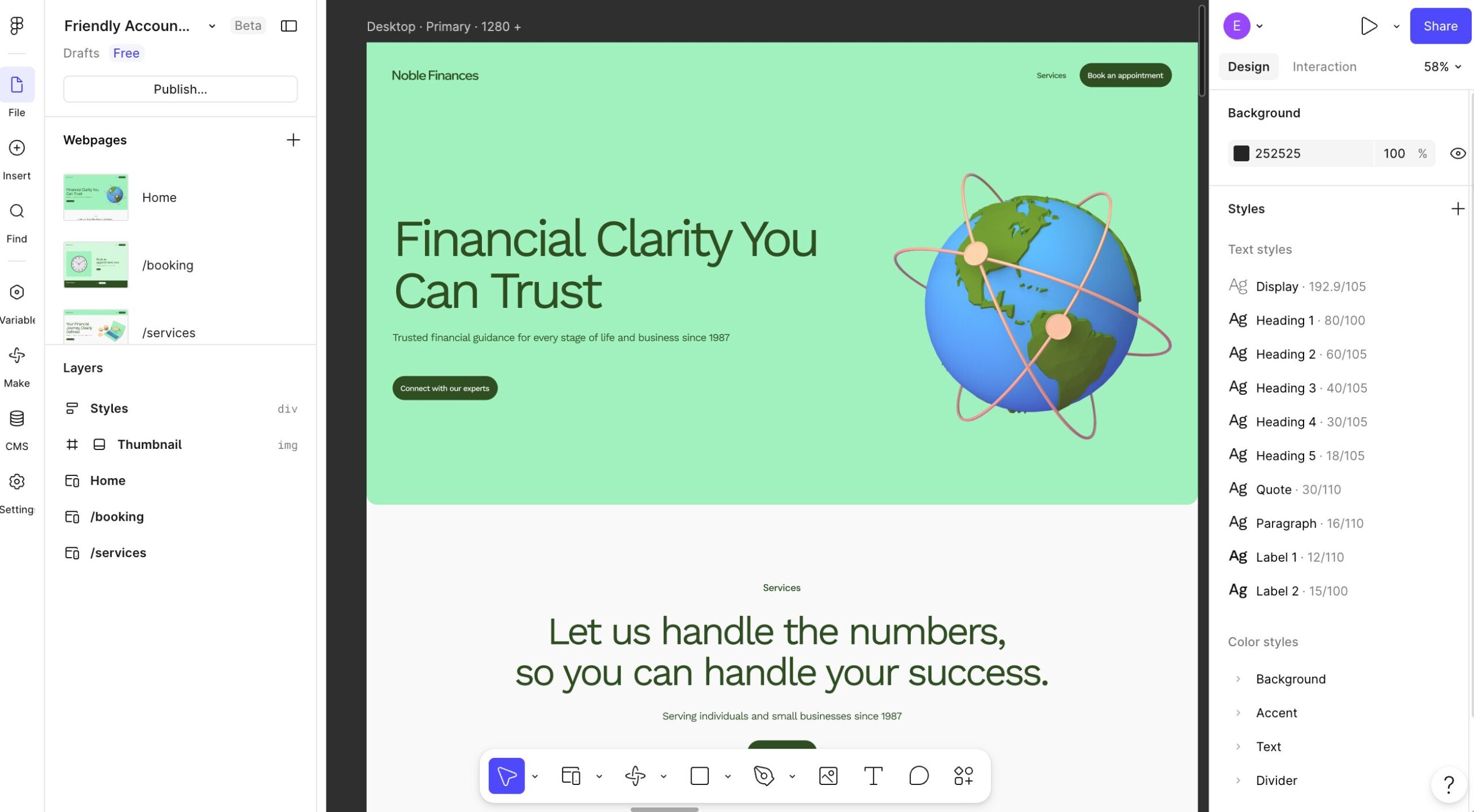
How to Convert Figma to WordPress Using PressMeGPT
Have a website design in Figma and want to see it working in WordPress? PressMeGPT lets you start with an image of your design, generate a WordPress theme, and test the result in a temporary WordPress site before you download it. In the video below, you’ll see the full Figma to WordPress workflow: export your…
-

WooCommerce + AI: How to Build an Online Store with a PressMeGPT-Generated WordPress Theme
Setting up an online store has always involved a tradeoff. Hosted platforms make it easy to get started but charge ongoing fees and limit how much you can customize. WordPress and WooCommerce give you full control and no transaction fees, but historically meant starting from a generic template, then spending hours adjusting layouts, product grids,…
-

How to Generate a WordPress Theme with AI for a Restaurant — Real Examples
Opening a restaurant website used to mean one of two things: paying a designer a few hundred dollars (or more) and waiting weeks, or wrestling with a generic template that never quite fit your brand. Menus had to be reformatted, photos cropped to match awkward grids, and “coming soon” pages sat live for months. AI…
-

Are AI-Generated WordPress Themes Are Replacing Pre-Built Templates? Pros and Cons of Each.
For a long time, building a WordPress website usually meant choosing between two frustrating options. You either hired a developer and invested thousands into a custom website, or you purchased a pre-built template and tried to make it fit your brand as closely as possible. That second option became incredibly popular over the years. Marketplaces…
-

Create a WordPress Site Inspired by Another Website Design
One of the hardest parts of building a website is starting with a blank page. You may know the type of site you want to create, but explaining the layout, colors, spacing, typography, and overall feel from scratch can still take hours. That’s why we added one of the most requested features to PressMeGPT: the…