
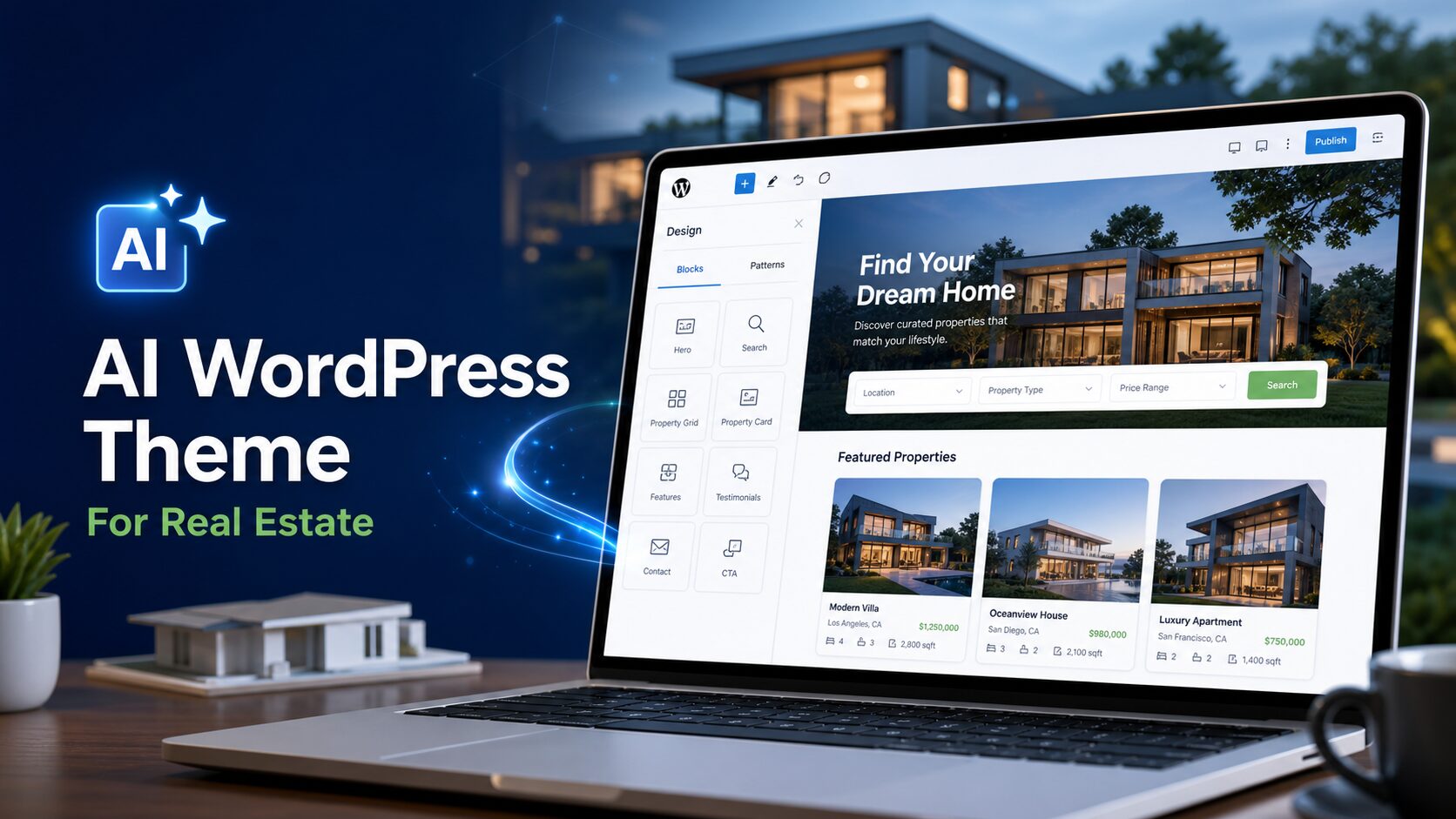
Finding the right website for a real estate business has always been a frustrating middle ground. Generic templates rarely capture the specific feel of a boutique agency, a luxury listings firm, or an independent agent building their personal brand. And hiring a designer to build something custom means weeks of back-and-forth, rounds of revisions, and a bill that climbs fast.
AI website generation has changed that calculus entirely. Describe your agency — its market, its aesthetic, the type of properties it handles, and who it’s trying to reach — and you can have a complete, ready-to-edit WordPress theme in minutes rather than months.
In this article, we’ll walk through how this actually works in practice, using three real estate themes all generated with PressMeGPT under the same “Urban Nest” concept, so you can see how the same brief can produce meaningfully different results depending on what you emphasize.
Why Real Estate Is a Strong Use Case for AI-Generated Themes
Real estate websites have a well-established structure: a strong hero with a property search or call to action, a featured listings section, an about/team section, a testimonials block, and a contact form. That predictability is exactly where AI generation performs well. When you describe your agency’s positioning — modern urban brokerage, luxury residential, family-friendly suburban, commercial property — the AI has enough context to generate a layout and visual language that actually fits, rather than a blank template you then have to reshape from scratch.
The more specific you are about who you’re selling to and what kind of properties you’re representing, the more the output reflects those differences in structure and tone — not just in color.
Example 1: Urban Nest — Clean, Modern, Property-First
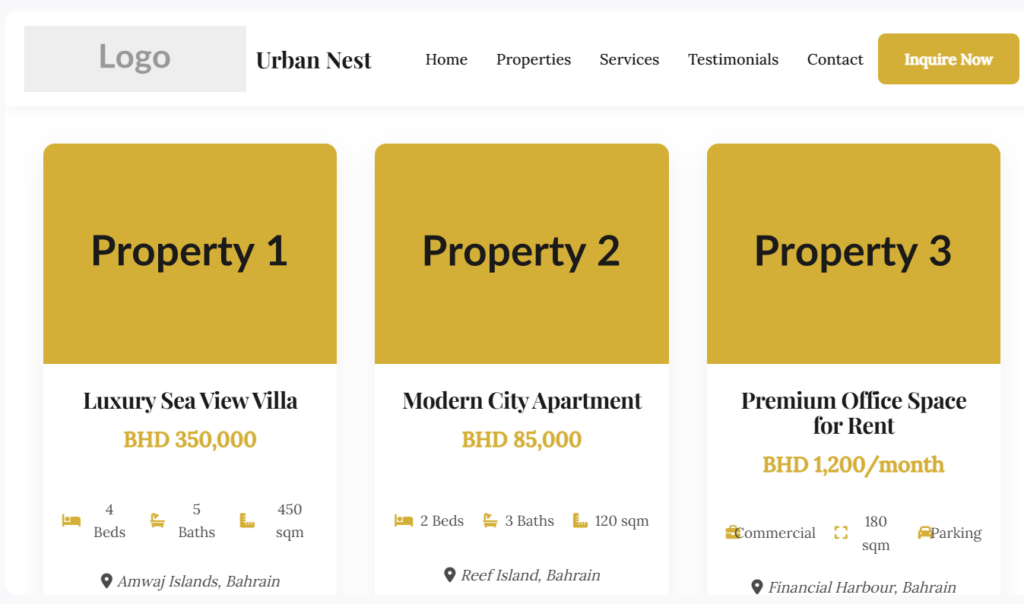
The first variation of Urban Nest leads with clarity. The layout prioritizes the listings themselves — large property cards, a prominent search bar, and clear calls to action that push visitors toward browsing available homes. The color palette stays neutral and professional, letting property photography do the heavy lifting rather than competing with it.
This approach works well for agencies that want the website to function primarily as a listings tool. Visitors arrive knowing what they want — a 3-bedroom in a specific neighborhood, a certain price range — and the design gets out of the way and lets them find it fast. The agent or agency brand takes a quieter supporting role.
Example 2: Urban Nest — Warm, Lifestyle-Led
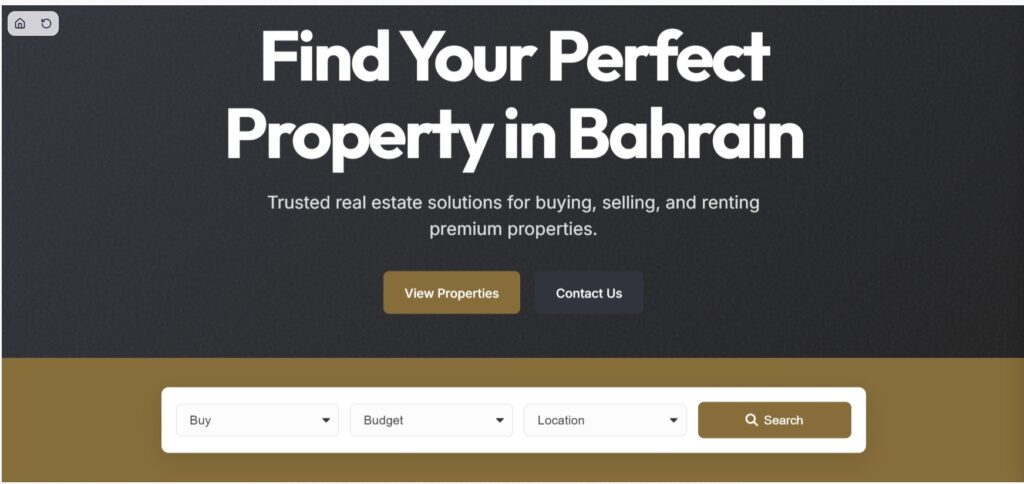
The second variation of real estate shifts the emphasis entirely. Rather than leading with search and listings, this version opens with mood and aspiration — the kind of life a buyer is stepping into, not just the square footage they’re getting. The layout is warmer, with more generous whitespace, lifestyle-oriented imagery blocks, and copy that speaks to neighborhoods and community rather than just features and price.
This style suits agencies that compete on relationship and brand trust rather than inventory volume. First-time buyers, clients relocating to an unfamiliar city, and anyone making a major life decision tend to respond to this kind of framing — they’re not just searching for a property, they’re looking for someone to guide them.
Comparing this version to the first is a useful demonstration of how much the brief shapes the output. Same agency name, same general category, but built for a completely different kind of client interaction — one transactional and efficient, the other relational and story-driven.
Example 3: Urban Nest — Premium, Minimal, Luxury-Positioned
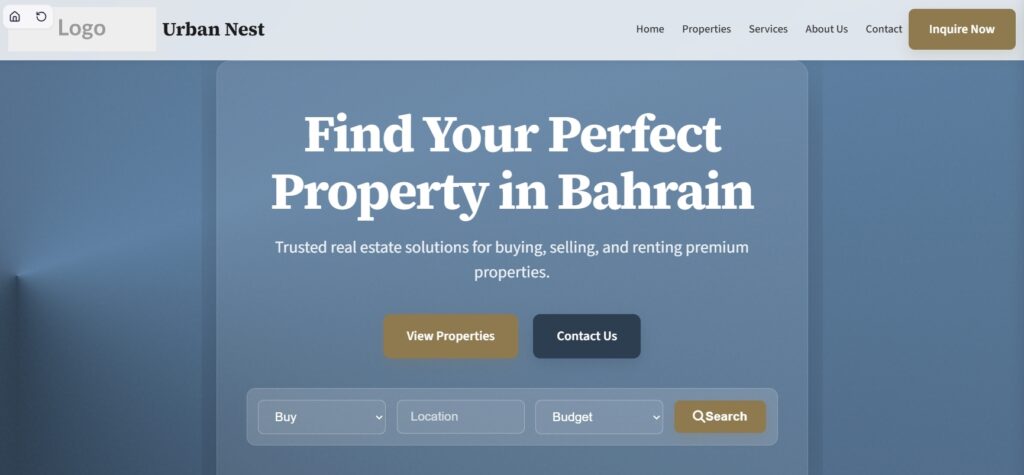
The third variation of Urban Nest takes a step further toward the high-end market. The design thins out — more negative space, a restrained typographic palette, muted tones with selective use of a prestige accent color. Property images run large and uninterrupted. The overall feel is closer to a luxury goods brand than a traditional real estate site, which is exactly the signal this kind of theme is trying to send.
For agents working in premium residential or boutique commercial markets, this positioning matters. Clients spending at the top of the market often associate visual restraint with quality. A cluttered, feature-heavy layout can undercut the brand before a single conversation happens. This variation generates that contrast clearly — same underlying product, very different market signal.
How the Process Actually Works, Step by Step
Step 1: Describe your agency in detail
Don’t just say “a real estate website.” Describe the market segment you serve (residential, commercial, luxury, starter homes), the geographic character of your area (urban, suburban, coastal, rural), and what you want visitors to do first — search listings, contact an agent, read about the team, or book a consultation. The three Urban Nest variations above came from the same base concept but produced different results because of how the stylistic emphasis was described. That specificity is the lever.
Step 2: Review the AI-generated variations
The generator produces multiple design variations from your description. This is where you’ll see range — different layouts, different visual hierarchies, all real-estate-appropriate but suited to different agency types. Reviewing these side by side, as with the three Urban Nest versions, makes the differences concrete rather than theoretical.
Step 3: Refine with natural language or built-in controls
Once you pick a direction, adjustments are straightforward. You can change fonts, colors, and section order using built-in controls, or describe what you need in plain language — things like adding a mortgage calculator, adjusting the hero image layout, swapping a placeholder photo for a real property shot, or adding a neighborhood guide section.
Step 4: Add your listings, team, and additional pages
A real estate site typically needs more than a homepage. Individual listing pages, a team/agent directory, a neighborhood guide, a blog for local market updates, and a contact or inquiry page can each be generated and added individually, each structured for its specific purpose.
Step 5: Export to WordPress
Once the design is right, the theme exports as a standard WordPress theme — Gutenberg, Classic, or Elementor — so it runs on regular WordPress hosting with no lock-in to a proprietary builder. Your listings updates, market reports, and future redesigns all happen on a platform you control.
What This Means If You’re Building a Real Estate Site
The practical upside is speed and fit. Speed because you go from brief to a structured, real starting point in minutes. Fit because the output isn’t a modified generic template — it reflects the specific kind of agency you’re describing, down to the layout logic and the visual hierarchy.
For anyone who’s wondered whether AI-generated themes can actually look distinct and purposeful rather than interchangeable, the three Urban Nest variations are a useful answer: same topic, three different market positions, three different designs — each shaped by how the request was framed.
If you want to try this for your own agency, you can browse more real estate examples in the PressMeGPT theme directory or start describing your concept directly to generate your first version.