

Building a website for a SaaS product has always been a branding puzzle. You need to communicate credibility, clarity, and a specific product promise — often within seconds of a visitor landing on the page. Generic templates get you started, but they rarely match the visual tone of a focused software product without significant rework.
AI theme generation changes that equation. Instead of picking a template and spending hours reshaping it, you describe your SaaS product — what it does, who it’s for, the mood and color direction — and get back a homepage already structured around how SaaS websites actually work: a strong hero with a product value proposition, feature breakdowns, social proof, and a clear conversion path.
In this article, we’ll look at how this works for SaaS businesses using three real themes generated with PressMeGPT, and walk through exactly what the process looks like from description to a finished, exportable WordPress theme.
Why SaaS Websites Are a Strong Fit for AI-Generated Themes
SaaS websites follow a recognizable structure: a hero section that names the problem and your solution, a features section that shows how the product works, social proof (testimonials, logos, review ratings), a pricing or CTA section, and a footer with trust links. What changes from product to product is the emphasis and tone — a developer tool feels different from a content scheduling app, which feels different from a community platform or a knowledge management product.
This is precisely where describing your SaaS product in detail to an AI generator pays off. The layout stays conversion-appropriate for software, but the visual direction, section hierarchy, and copy framing shift based on what you actually described. You skip the phase where you’re looking at a template built for a photography portfolio and trying to mentally re-map it onto a B2B SaaS offer.
Three SaaS Themes Generated with PressMeGPT
1. Conectivo — A Networking and Community Platform Theme
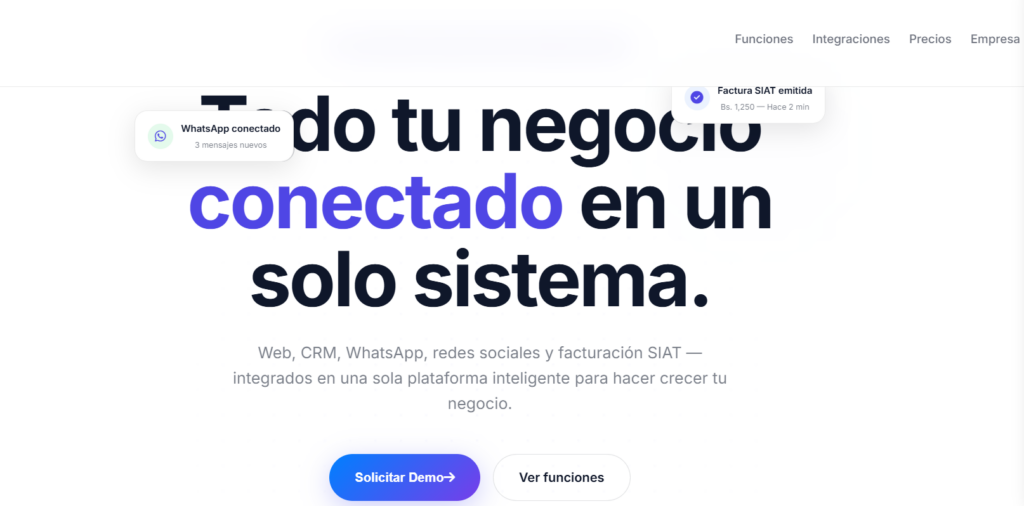
Conectivo is built around the visual language of a modern networking or connection platform — the kind of SaaS product that helps professionals, communities, or teams find and engage with each other.
The layout puts relationship-building front and center: sections for how the platform works, who it’s for, and what kinds of connections or communities it enables. The tone is approachable but credible — warmer than a pure developer tool, more professional than a social app. The color palette and typography reflect a product that people will trust with their professional presence.
For a SaaS founder building a community tool, professional network, or matchmaking platform, this theme communicates the right things immediately — without having to gut an unrelated template to get there.
2. BentoBook Library — A SaaS Tool for Knowledge and Content Management
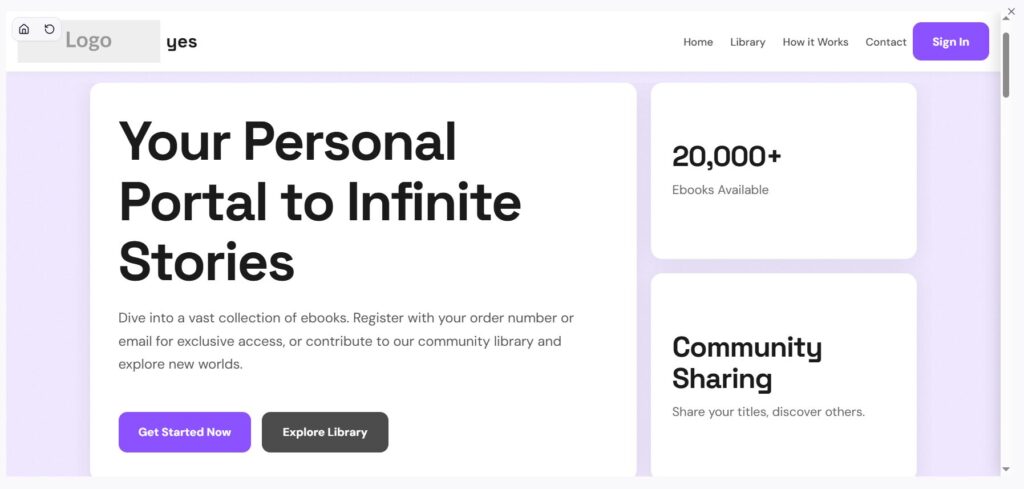
BentoBook Library shows what happens when the brief describes a tool organized around content, resources, or knowledge — a digital library, documentation tool, reading list manager, or content curation SaaS.
The layout uses a bento-style card grid, which is well-suited to displaying multiple content categories or product features side by side. It’s clean and information-dense without feeling cluttered — a design approach that works well for tools where the depth of the product is part of the value proposition.
Comparing this to Conectivo, the difference in emphasis is obvious: BentoBook structures itself around organizing and surfacing content, while Conectivo is built around people and relationships. Same AI generator, different description — different result.
3. Mishor Connect Platform — A Professional SaaS Platform Theme
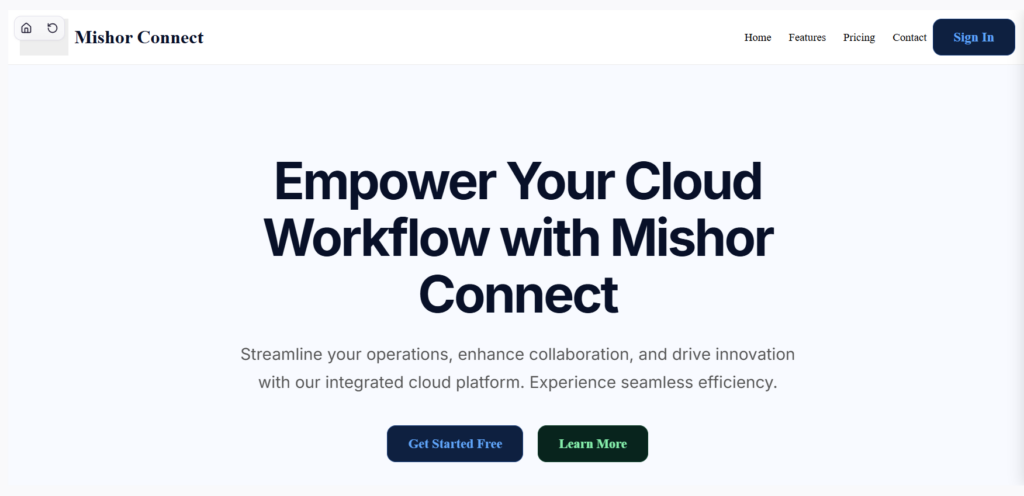
Mishor Connect Platform is built for a SaaS product focused on professional services, directory-style platforms, or service-matching tools. The layout has a structured, enterprise-friendly feel — clear hierarchy, feature-forward sections, and a design that signals reliability and scale.
This kind of theme is suited to B2B-facing SaaS products where the buyer is making a deliberate decision and wants to see evidence that the product is built for professionals. The visual language communicates maturity — the product isn’t a side project, it’s a platform.
Across all three themes, a consistent pattern emerges: the more specific you are about what your SaaS product does and who it’s for, the more the generated theme reflects your actual business rather than a generic software template with updated colors.
How to Generate a WordPress Theme for Your SaaS with PressMeGPT
Step 1: Describe your SaaS product in specific terms
Don’t just say “a SaaS website.” Describe what the product actually does, who the core user is, what problem it solves, and the tone you want. A few useful prompts:
- “A B2B platform for freelancers to connect with project clients — professional, clean, trust-focused, dark navy and white color scheme”
- “A knowledge management tool for teams — clean, minimal, organized, card-based layout, blue and off-white”
- “A community networking app for professionals in the creative industry — warm, approachable, modern, soft gradients”
The more detail you add about your audience and brand direction, the closer the first result will be to something you can launch without a redesign.
Step 2: Review the generated variations
PressMeGPT produces multiple design directions from a single description. This is worth spending time on — you’re not just picking the prettiest version, you’re evaluating which layout structure best fits your product’s actual conversion logic. A tool with a complex feature set might need a different section hierarchy than a simple, single-use utility.
Step 3: Refine with natural language
Once you’ve picked a direction, iterate on it. You can describe changes directly: “move the testimonials section above the pricing section,” “change the hero background to a dark gradient,” “add a section that shows three use cases with icons.” The AI applies the changes without you touching code.
You can also swap in your own logo, adjust the color palette to match your brand guidelines, and update the placeholder copy to reflect your actual product.
Step 4: Build out supporting pages
A SaaS site needs more than a homepage. Pricing, about, features, blog, and legal pages each have their own layout requirements. PressMeGPT lets you generate these individually — so your pricing page is built for pricing, not recycled from the homepage layout.
Step 5: Export to WordPress and go live
The theme exports as a standard WordPress theme — compatible with Gutenberg, Classic, or Elementor — and installs on any regular WordPress hosting. From there, you’re on a stack you fully own. No ongoing platform fees beyond hosting and the plugins you choose to run.
For SaaS teams already on WordPress, this means the generated theme fits into an existing workflow. For founders starting fresh, it means launching on a platform that scales without forcing a migration later.
What This Means for SaaS Founders and Product Teams
The practical advantage of AI-generated themes for SaaS is the same as it is for any niche website: you start from something already shaped around your context, rather than something generic that you fight to reshape.
Conectivo, BentoBook Library, and Mishor Connect Platform each show what that looks like for different SaaS product types — a community platform, a content management tool, and a professional services platform. All three export as real WordPress themes, ready to install.
If you’re building a SaaS website and want to skip the template-reshaping step, start by describing your product as specifically as you can. Browse the PressMeGPT theme directory to see what’s already been generated across different product categories, or generate your first version directly.