

Building a custom WordPress theme used to mean days or weeks of design, development, and back-and-forth revisions. Now, AI tools can take a simple prompt and turn it into a complete, polished website design in minutes.
With PressMeGPT, you can generate a WordPress theme built around your specific business, industry, branding, and functional requirements — instead of starting from a generic pre-built template. Whether you’re launching a blog, a business site, a portfolio, an ecommerce store, an agency page, or a service-based platform, PressMeGPT produces a theme shaped around what you’re actually trying to build.
But a great-looking theme is only step one.
Underneath a polished, AI-generated design, there can be problems no one notices just by looking at it: bloated code, incorrect heading structures, duplicate or placeholder metadata, missing schema markup, sluggish load times, or pages search engines can’t crawl the way they should. None of that shows up in a preview. All of it shows up in your rankings.
That’s why every AI-generated theme deserves a proper SEO review before it goes live — which is exactly what this checklist walks you through. Below, we’ll cover the areas that matter most: indexing, site speed, mobile responsiveness, metadata, internal linking, structured data, accessibility, and technical SEO. Work through it, and your AI-generated theme won’t just look impressive — it’ll be built to actually get found.
Why AI-Generated Themes Are an SEO Risk (Even When They Look Great)
AI design tools are trained to produce visually coherent output — not semantically correct HTML. That means it’s common to see:
- – Heading tags chosen for font size rather than document structure (an H4 used because it “looks right,” sitting above an H2)
- – Div-soup markup instead of semantic HTML5 elements
- – Missing or auto-generated alt text that says nothing useful
- – Bloated CSS/JS from templated component libraries
- – No thought given to canonical tags, schema, or crawlability at all
None of this is visible to you as a user. All of it is visible to Googlebot. So before you fall in love with the design, run it through the checklist below.
Section 1: Technical Foundation
This is the plumbing. Get it wrong and nothing else in this list matters.
- Check your heading hierarchy. View the page source or use a browser extension like “HeadingsMap” and confirm there’s exactly one H1, and that H2s/H3s nest logically. AI tools frequently duplicate H1s across hero sections and page titles.
- Inspect the raw HTML, not just the preview. Look for excessive nested
<div>wrappers where semantic tags (<header>,<nav>,<main>,<article>,<footer>) should be used instead. - Verify a single canonical URL per page. AI page builders sometimes generate duplicate routes (e.g., a page reachable at both
/servicesand/services/) without a canonical tag pointing to one version. - Confirm the theme generates a clean, valid
robots.txt. Some AI builders default to blocking/wp-content/folders entirely, which can inadvertently block image and CSS crawling. - Check that XML sitemaps are being generated and submitted. Don’t assume — open
yoursite.com/sitemap.xmland confirm it actually lists your real pages. - Test mobile responsiveness with real devices, not just the builder’s preview pane. AI previews often render at ideal viewport sizes that hide overflow and tap-target issues.
- Audit URL structures. AI-generated slugs are notorious for long, auto-numbered garbage like
/page-2837-final-v2. Rewrite these into short, keyword-relevant slugs before launch.
Section 2: Performance and Core Web Vitals
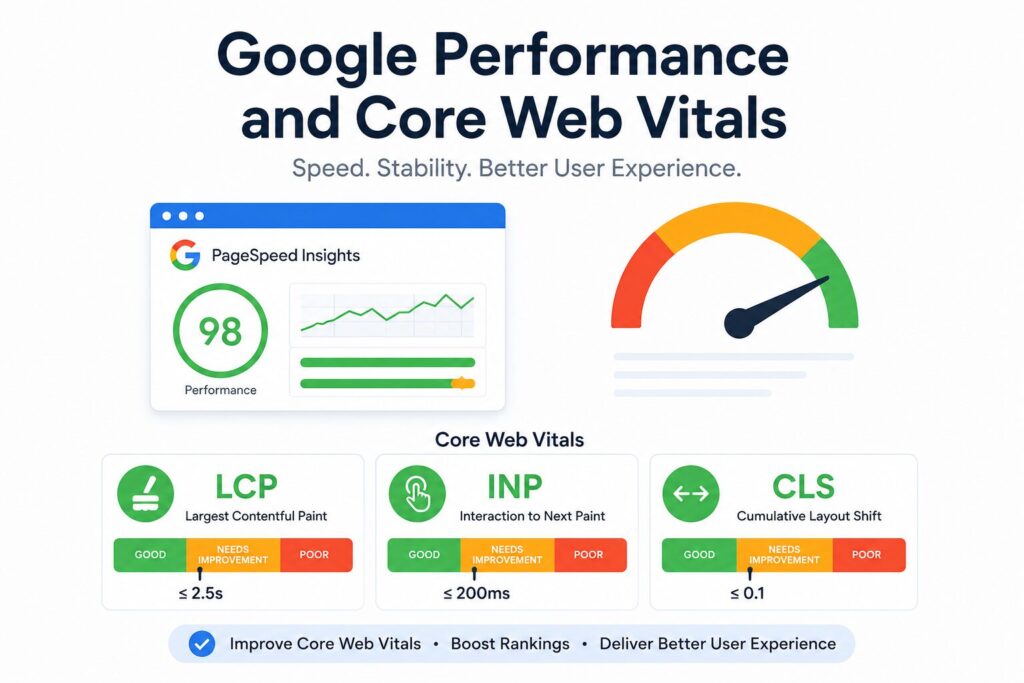
Google’s page experience signals don’t care how the theme was made — a slow site is a slow site.
- Run Google PageSpeed Insights on both mobile and desktop. AI-generated themes often ship with unused CSS frameworks and JavaScript libraries loaded “just in case.”
- Check for render-blocking scripts. Many AI builders inject third-party widget scripts (chat bots, animation libraries) directly in the
<head>with no defer or async attributes. - Compress and lazy-load images. AI image generators or stock libraries used inside these themes often output oversized PNGs where a compressed WebP would do.
- Minify CSS and JS, and remove component styles for UI elements the theme doesn’t actually use (a common leftover from templated design systems).
- Test Largest Contentful Paint (LCP), Cumulative Layout Shift (CLS), and Interaction to Next Paint (INP) individually — a theme can pass an overall “performance score” while still failing an individual Core Web Vital that matters for rankings.
- Set explicit width/height attributes on images and embeds to prevent layout shift, especially in AI-generated hero sections with dynamic content blocks.
Section 3: On-Page and Content SEO
The design might be AI-made, but the words still need to work for humans and search engines.
- Rewrite AI-placeholder meta titles and descriptions. It’s extremely common to launch with
"Home | Site Title"or Lorem-ipsum-adjacent meta descriptions still in place. - Add descriptive, keyword-relevant alt text to every image — not the auto-generated filename-based alt text some AI tools default to (e.g.,
img_4471_final.jpg). - Check internal linking. AI-built page templates often exist in isolation with no contextual links between related pages, which hurts both crawlability and topical authority.
- Confirm there’s genuinely unique content on each page. AI theme demo content sometimes ships with generic filler text that gets left in place on secondary pages like About or FAQ.
- Review keyword placement in H1s and early body copy — AI design tools optimize text for visual balance, not search intent, so keywords can end up buried or missing entirely.
- Check for thin or duplicate content across template variations, a common issue when an AI builder generates multiple similar landing pages from one prompt.
Section 4: Structured Data and Discoverability
- Add schema markup for your content type — Organization, LocalBusiness, Article, Product, or FAQ schema, depending on the site. AI themes almost never include this by default.
- Test your structured data with Google’s Rich Results Test before launch, not after.
- Set up Open Graph and Twitter Card tags for proper social preview rendering — another thing AI builders frequently skip.
- Confirm breadcrumb navigation exists (and is marked up with schema) if the site has more than a couple levels of hierarchy.
Section 5: Accessibility (Which Is Also an SEO Signal)
- Run an accessibility audit (Lighthouse or WAVE). Poor color contrast and missing ARIA labels — both common in AI-generated designs chasing a specific aesthetic — can indirectly hurt SEO through higher bounce rates and Google’s broader page-experience signals.
- Check keyboard navigation and focus states. AI-generated interactive elements (accordions, tabs, sliders) sometimes look great but aren’t operable without a mouse.
A Quick Pre-Launch Workflow
If you don’t have time to work through all 25 points manually, prioritize in this order:
- Crawl the site with Screaming Frog or Sitebulb to catch heading, canonical, and metadata issues in bulk.
- Run PageSpeed Insights on your three most important pages.
- Manually check meta titles/descriptions and alt text on money pages.
- Validate structured data with Google’s testing tool.
- Do a real-device mobile pass before calling it done.
The Bottom Line
AI-generated WordPress themes are a genuine shortcut for design — there’s no reason to avoid them for that. But “looks finished” and “is technically sound” are separate milestones, and right now, most AI tools only reliably hit the first one. Treat this checklist as the manual QA pass that AI hasn’t learned to do for you yet. Fifteen extra minutes here is the difference between a theme that impresses in a client demo and one that actually shows up in search results six months from now.