
Opening a restaurant website used to mean one of two things: paying a designer a few hundred dollars (or more) and waiting weeks, or wrestling with a generic template that never quite fit your brand. Menus had to be reformatted, photos cropped to match awkward grids, and “coming soon” pages sat live for months.
AI website generation has changed that timeline completely. Instead of starting from a blank template and hoping a plugin can make it look the way you imagined, you can now describe your restaurant — its cuisine, mood, colors, and menu — and get a complete, ready-to-edit WordPress theme in minutes.
In this article, we’ll walk through how this actually works in practice, using two real restaurant themes generated with PressMeGPT, so you can see exactly what’s possible before you start your own.
Why Restaurants Are a Great Use Case for AI-Generated Themes
Restaurant websites have a fairly predictable structure — a strong hero image, a menu section, an about/story section, location and hours, and a way to book a table or order online. That predictability is exactly where AI shines. When you describe your restaurant’s vibe (cozy Italian trattoria, modern pizzeria, fine dining, casual cafe), the AI has enough context to generate a layout, color palette, and content blocks that actually match the kind of restaurant you’re describing — not a one-size-fits-all template you then have to fight with.
Example 1: Pizza Paradise — A Bold, Casual Pizzeria Theme
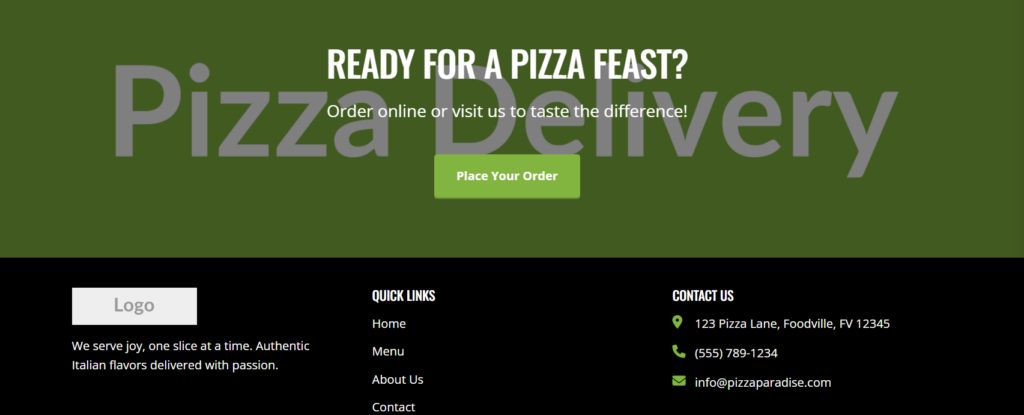
The first example is Pizza Paradise, a theme built for a casual pizza restaurant. The design leans into warm, appetite-driving colors and a layout structured around what a pizzeria actually needs to sell — a hero section that immediately signals “pizza,” a menu showcase, and sections that highlight specials, location, and ordering.
What’s worth noticing here is how the AI handles the category-specific details. A pizza place doesn’t need the same layout as a fine-dining restaurant — it needs fast, visual menu browsing and clear calls to action (order now, view menu, find us). When you describe a pizzeria specifically rather than just “a restaurant,” the generated theme reflects that difference in structure, not just in color.
Example 2: FoodPress — An Editorial, Centered Restaurant Theme
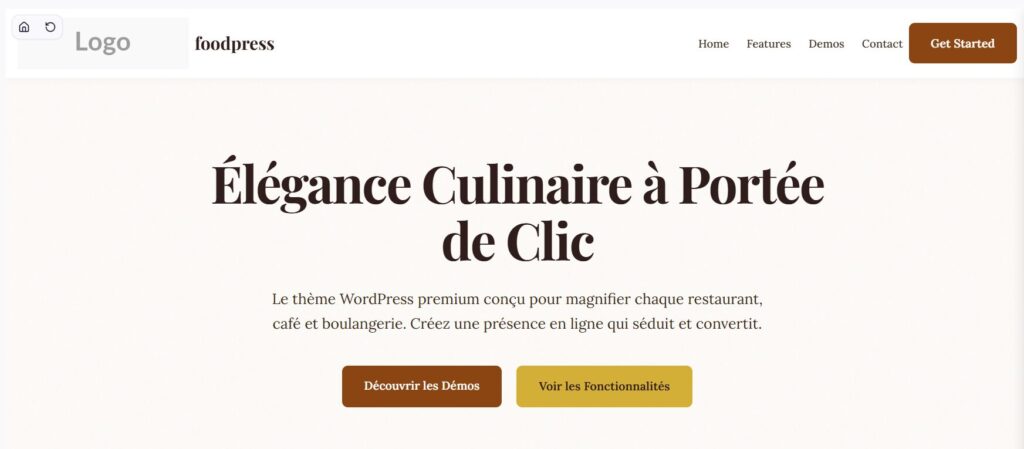
The second example, FoodPress, takes a completely different approach. Instead of the bold, promotional feel of Pizza Paradise, FoodPress uses a centered, editorial-style layout — more like a food magazine than a fast-casual ordering page. This style works well for restaurants that want to emphasize storytelling: the chef’s background, the sourcing of ingredients, the ambiance, and high-quality photography that takes center stage.
Comparing these two themes side by side is a good demonstration of how much the description matters when generating with AI. Two restaurant websites, both food-focused, but built for completely different goals — one drives quick action (order, visit, call), the other builds a brand story. The output reflects the brief.
How the Process Actually Works, Step by Step
Here’s the general workflow for generating a restaurant theme like the two above:
Step 1: Describe your restaurant in detail
This is the most important step. Rather than typing “a restaurant website,” describe the cuisine type, the mood (casual, upscale, family-friendly, trendy), your color preferences, and what you want visitors to do first — view the menu, book a table, order online, or just learn your story. The more specific the description, the more the generated theme will feel tailored rather than generic.
Step 2: Review the AI-generated variations
The generator produces multiple design variations based on your description. This is where you’ll often see the kind of contrast we saw between Pizza Paradise and FoodPress — different layouts, different visual priorities, all built from food-related input but suited to different restaurant styles.
Step 3: Customize with natural language or built-in controls
Once you pick a direction, refinements are straightforward. You can adjust fonts, colors, and images using built-in controls, or simply describe changes in plain language — things like adding a reservations section, changing button colors to match your branding, or swapping a placeholder photo for your own restaurant images.
Step 4: Add your menu, gallery, and additional pages
Most restaurants need more than a homepage — a menu page, a gallery, an about/story page, and a contact or location page. These can be generated and added individually, each tailored to its purpose rather than reusing the homepage layout.
Step 5: Export to WordPress
Once the design is right, the theme exports as a standard WordPress theme — Gutenberg, Classic, or Elementor — so it runs on regular WordPress hosting using familiar tools, with no lock-in to a proprietary builder.
What This Means If You’re Building a Restaurant Site
If you’re a restaurant owner, the practical upside is speed and ownership. Speed because you go from “I need a website” to a real, structured starting point in minutes rather than weeks. Ownership because the output is a real WordPress theme — your menu updates, seasonal promotions, and future redesigns all happen on a platform you fully control, not inside a closed builder that locks your content in.
For anyone weighing whether AI-generated themes can actually look distinct from each other, Pizza Paradise and FoodPress are a useful side-by-side: same general topic (a restaurant), two very different results, both shaped by how the request was described.
If you want to try this for your own restaurant, you can browse more food and restaurant examples in the PressMeGPT theme directory or start describing your concept directly to generate your first version.