AI is changing how people build and manage WordPress websites, but not every AI WordPress product solves the same problem.
PressMeGPT helps you move from a blank page to a complete website concept and an installable WordPress theme. You describe the site you want, compare multiple design directions, refine the result with AI and a familiar visual workflow, and export the theme in a WordPress format you control.
WPVibe, often stylized or referred to as WP Vibe, is officially built by SeedProd as a Model Context Protocol (MCP) server and WordPress plugin. It takes a different approach: it connects an existing WordPress site to an AI assistant such as ChatGPT, Claude, Cursor, or Claude Code. You can then ask the assistant to update content, inspect the site, edit theme files, manage media, make builder changes, or perform other WordPress tasks through conversation.
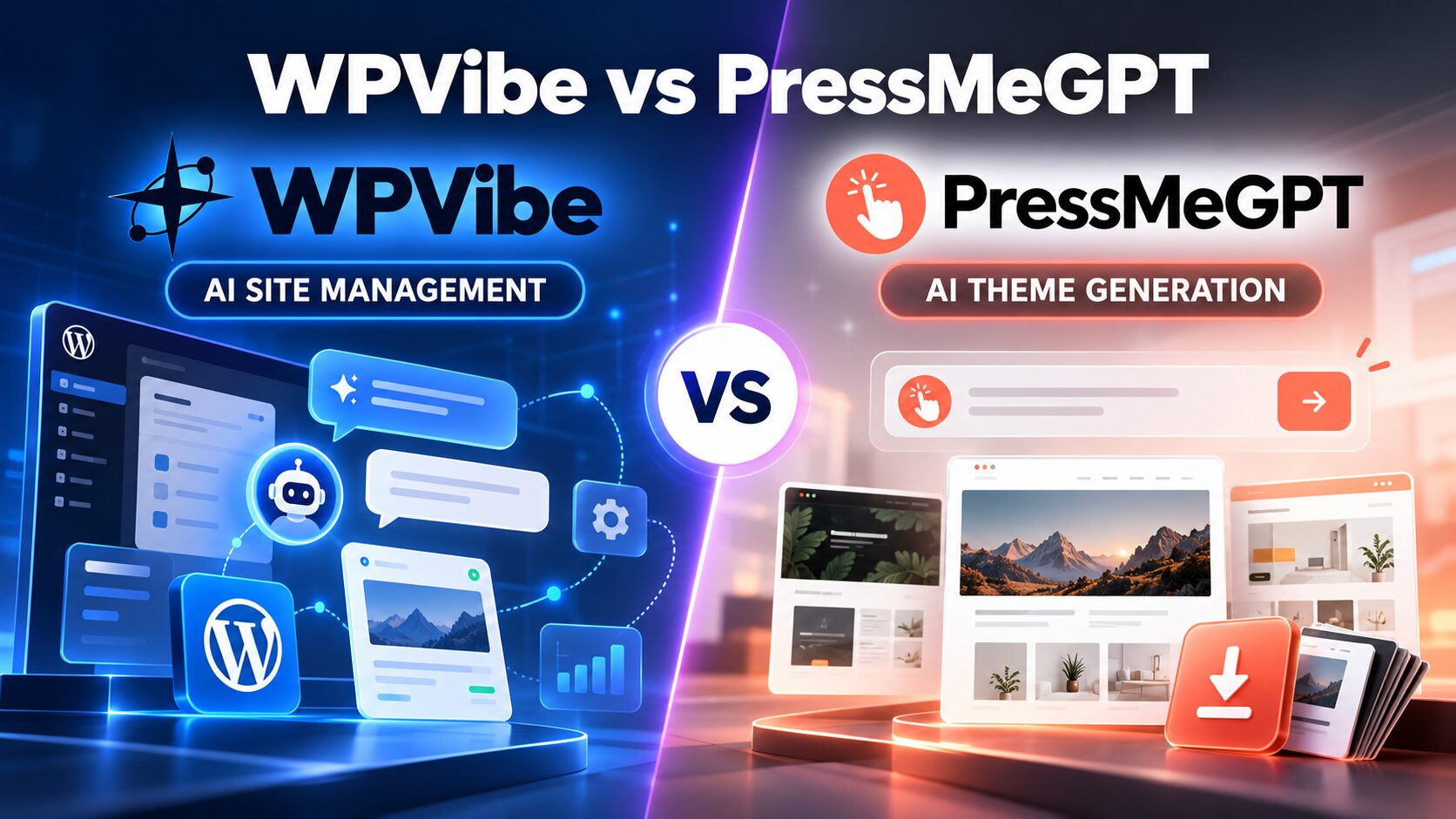
That makes this less of a traditional “which tool is better?” comparison and more of a workflow decision:
- Use PressMeGPT when you are starting with an idea, a blank page, or an existing web design that needs to become a WordPress theme.
- Use WPVibe when you already have a WordPress site and want an AI agent to help operate, maintain, redesign, or manage it.
- Use both when you want to generate a new theme with PressMeGPT and then use an AI assistant to manage the installed site.
Quick answer: PressMeGPT is an AI-first website design and WordPress theme generation platform. WPVibe is an MCP server and WordPress plugin that connects an AI assistant to your site. PressMeGPT helps you decide what to build; WPVibe helps your AI work inside what you already have.
What is WPVibe?
WPVibe, also referred to as WP Vibe, is the official product name used by SeedProd. It is available at wpvibe.ai and in the WordPress plugin directory. WPVibe combines a hosted MCP server with a WordPress plugin so compatible AI assistants can interact with WordPress through structured tools and natural-language commands.
This article uses WPVibe throughout because it is the product name shown on the official website and WordPress plugin listing.
WPVibe vs PressMeGPT at a glance
The table below compares the products by the job they are designed to do. A check mark means the capability is a core strength, a dash means the capability is available in a more limited or different form, and an X means it is not the product’s main function.
Legend: ✅ Strong fit · — Partial or indirect fit · ✕ Not the core product
| Feature | PressMeGPT | WPVibe |
|---|---|---|
| Main purpose | ✅ Generate and convert WordPress websites and themes | ✅ Connect an AI assistant to WordPress |
| Starting from a blank page | ✅ Prompt-based design ideation | — Better after a site is connected |
| Solving the “what should I design?” problem | ✅ Multiple AI-generated concepts | — The AI works from your instructions and existing site |
| Multiple design concepts for comparison | ✅ Generates several concepts to review | — Can create or edit designs, but is not primarily a concept-comparison tool |
| Visual editing and design refinement | ✅ Built into the creation workflow | — Changes are made through AI conversation and WordPress builders |
| AI-powered customization | ✅ Core feature | ✅ Can make conversational site changes |
| Multi-page website generation | ✅ Generate a homepage and add related pages with AI | — Can create and edit pages on the connected site |
| Convert an existing web design into WordPress | ✅ Core workflow | — Can rebuild or edit a connected site, but is not primarily a design-import tool |
| Export a downloadable WordPress theme | ✅ Core output | — Builds and edits themes on the connected site |
| Gutenberg / block theme output | ✅ | ✅ Can create and edit Gutenberg content |
| Classic WordPress theme output | ✅ | ✅ Can build and edit classic theme files |
| Elementor export | ✅ Available on supported plans/workflows | ✅ Native Elementor workflows are supported |
| Support for multiple builders | — Focused on portable WordPress outputs | ✅ Gutenberg, Elementor, SeedProd, Divi, Beaver Builder, Breakdance, Bricks, Kadence, and GeneratePress workflows |
| Live post, page, media, and taxonomy management | ✕ | ✅ |
| Plugin and site administration | ✕ | ✅ |
| WooCommerce and plugin workflows | ✕ | ✅ Through supported APIs, abilities, and recipes |
| WP-CLI-style operations without SSH | ✕ | ✅ 125+ advertised commands |
| Theme-file inspection and editing | — Exported theme can be edited after installation | ✅ AI can inspect and edit connected theme files |
| Draft, preview, and approval workflow | ✅ Review before export and installation | ✅ Draft-first changes, previews, approvals, backups, and audit logs |
| Bring your own AI assistant | ✕ | ✅ ChatGPT, Claude, Cursor, Windsurf, OpenCode, Claude Code, and other MCP clients |
| Ongoing subscription needed to keep an exported theme running | ✅ No | — The WordPress site can continue, but AI access depends on WPVibe access and usage limits |
| Hosting freedom | ✅ Export and host anywhere | ✅ Works with self-hosted WordPress reachable over HTTPS |
| Best for | New websites, redesigns, theme generation, and web-to-WordPress conversion | Existing-site management, maintenance, automation, and AI-assisted development |
How WPVibe works
WPVibe is an AI connection layer for WordPress. It uses the Model Context Protocol, or MCP, to give an AI client a structured way to read and act on a WordPress site.
After installing the WPVibe plugin and connecting the site, you can use natural-language instructions such as:
- “Fix the title on this article.”
- “Find posts missing featured images and list them.”
- “Update the meta descriptions on these pages.”
- “Create a draft post with the attached image and schedule it for review.”
- “Check why the contact form is not sending emails.”
- “Change the global colors in this Elementor site.”
- “Inspect the theme and explain where the header is generated.”
The important point is that the AI is connected to your WordPress installation. It is not merely suggesting code or explaining which dashboard menu to open. It can use the site’s WordPress REST API, plugin abilities, theme files, media library, and advertised WP-CLI-style operations to carry out work.
WPVibe’s official feature list includes content management, media uploads, site inspection, plugin abilities, multiple-site management, theme editing, SEO audits, custom fields, and builder-specific workflows. It also advertises support for editors and builders including Gutenberg, Elementor, SeedProd, Divi, Beaver Builder, Breakdance, Bricks, Kadence, and GeneratePress.
WPVibe’s biggest strength: working with what already exists
Most websites are not blank projects. They already contain posts, pages, images, categories, plugins, custom fields, analytics, SEO settings, and years of content. WPVibe is designed for that reality.
Instead of exporting a new theme and manually moving everything into it, you can ask the AI to inspect the current site, identify problems, and make targeted changes. That makes it especially useful for:
- – content teams that manage a publishing schedule;
- – site owners who need regular updates but do not want to work inside wp-admin for every task;
- – agencies managing multiple client sites;
- – developers who want an AI assistant to inspect theme files and diagnose issues;
- – WooCommerce owners who need help with products, orders, catalog content, or store settings.
WPVibe is an agent, not only a page builder
WPVibe can build pages and classic themes, but its positioning is broader than website design. Its goal is to make WordPress operable through an AI conversation.
That distinction matters. A page builder primarily answers: “How do I visually create this page?” An AI WordPress agent answers: “What needs to happen across this site, and can you do it for me?”
For example, a page builder may help you design a landing page. WPVibe can help you find every old landing page, update their calls to action, check the rendered output, create redirects, and prepare the changes for review—depending on the site’s plugins, permissions, and connected AI client.
What is PressMeGPT?
PressMeGPT is an AI-first website design and WordPress theme generation platform. It is built for the moment before a website exists—or when an existing design needs to become a real, editable WordPress website.
You start by describing the website you want. You can provide the industry, audience, layout, tone, color direction, typography, sections, features, and content goals. PressMeGPT then helps you explore multiple visual concepts instead of forcing you to make every design decision before you see anything.
The workflow is designed to reduce blank-page syndrome:
- Describe the website or theme you want.
- Review multiple generated concepts.
- Select the direction with the strongest visual fit.
- Refine the design using AI-powered customization and familiar editing controls.
- Add additional pages when needed.
- Preview and export the result as a WordPress theme.
PressMeGPT’s public product information describes output options that include Elementor, Gutenberg, and Classic WordPress themes, with the goal of producing an installable website rather than only a screenshot or hosted mockup.
PressMeGPT’s biggest strength: turning an idea into a starting point
The hardest part of building a website is often not writing the HTML or choosing a WordPress setting. It is deciding what the website should look like in the first place.
PressMeGPT helps with that early creative stage. It gives you something concrete to react to: a hero section, navigation, content hierarchy, typography, color system, page structure, and visual direction.
This is valuable for people who know the outcome they want but do not want to begin with a blank canvas:
- – founders launching a new business site;
- – marketers testing several landing-page directions;
- – freelancers creating client mockups quickly;
- – agencies producing a first design before a full development phase;
- – bloggers and creators who need a polished WordPress starting point;
- – developers who want to spend less time scaffolding ordinary theme layouts.
PressMeGPT’s output is portable WordPress
The output is intended to be used as a WordPress theme that you can install, edit, host, and maintain through WordPress. Once the theme is exported, it is not a page inside a proprietary hosted editor.
That gives you control over where the site lives and how it evolves. You can continue editing it in WordPress, use the supported editor or builder format, add plugins, move hosts, and hand the theme to a client or development team.
PressMeGPT’s pricing and available export options can change as the product evolves, so readers should check the current pricing page before choosing a plan.
The most important difference: creation versus operation
The simplest way to understand the products is to separate a WordPress project into two stages.
Stage one: decide what to build
At this stage, you may have:
- – a business idea;
- – a rough mood board;
- – an existing website you want to recreate;
- – a prompt but no design system;
- – a client brief;
- – a blank WordPress installation.
This is where PressMeGPT is strongest. It helps turn an abstract idea into several visual directions and then packages the selected direction as a usable WordPress theme.
Stage two: operate and improve the website
At this stage, you already have:
- – a live WordPress site;
- – a theme and page builder;
- – a content library;
- – plugins and custom fields;
- – SEO and performance settings;
- – recurring maintenance tasks.
This is where WPVibe is strongest. It lets your chosen AI assistant use the site’s existing context and perform work across WordPress.
Neither stage is less important. They simply require different tools.
Design workflow comparison
PressMeGPT: from prompt to theme
PressMeGPT is designed as a guided design workflow. The AI generates concepts, you compare them, and you refine the selected design before exporting it.
This makes it useful when the main question is, “What should this site be?” You can explore a visual direction before committing to a theme, builder, or long manual setup process.
It is also useful when you already have a web design. PressMeGPT can use an existing website or exported design as a reference and convert the structure and styling into a WordPress theme workflow, depending on the input and supported conversion path.
WPVibe: from instruction to site action
WPVibe starts with the site you already have. You connect your WordPress installation to an AI assistant, then describe the work you want done.
Its workflow is closer to an AI developer, administrator, content manager, and maintenance assistant sharing the same interface. It can inspect before changing, use builder-specific save paths, create drafts, and ask for approval when an action is destructive or difficult to reverse.
This makes WPVibe useful when the main question is, “What should happen to this site next?”
Which tool is better for visual design?
For visual ideation and comparing different directions, PressMeGPT has the clearer advantage. Its workflow starts with multiple concepts and makes the design process itself the product.
For making changes to a website that already uses a particular builder, WPVibe has the broader operational reach. Its documented builder skills cover multiple WordPress ecosystems, and it is designed to write through the builder’s own structures so pages remain editable in that builder.
That is an important distinction:
- PressMeGPT helps you choose and generate the design.
- WPVibe helps you change and maintain the existing design.
If you are a designer deciding between three possible homepages, PressMeGPT is the more natural starting point. If you need to update a Divi header, inspect an Elementor page, revise a Beaver Builder layout, or diagnose a live site, WPVibe is closer to the problem.
Which tool is better for multi-page websites?
Both products can support multi-page WordPress work, but they approach it from opposite directions.
PressMeGPT uses AI to establish a coherent visual system and then extend it into additional pages. This is useful when the website is being created from scratch and the pages need to feel like one intentional design.
WPVibe can create and edit pages on a connected WordPress site. This is useful when the site already has a theme, navigation, content model, plugins, and publishing workflow that the new pages must respect.
The practical choice is:
- – Choose PressMeGPT when you need a consistent new site structure.
- – Choose WPVibe when you need to add or update pages inside an existing site structure.
Which tool is better for existing websites?
WPVibe is the stronger fit for ongoing management of an existing WordPress site. Its entire architecture is based on connecting an AI assistant to the site and letting that assistant read and modify WordPress resources.
PressMeGPT is still useful when an existing website needs a visual rebuild or migration. You can use it to create a new theme from a design direction or convert a web design into WordPress, then install and maintain the result as a normal WordPress theme.
The difference is that PressMeGPT is primarily a theme creation and conversion workflow, while WPVibe is primarily a connected site operation workflow.
Editing after the initial build
This is one of the most important questions for any AI website tool: what happens after the first version is generated?
With PressMeGPT
You export the generated theme and install it on WordPress. The theme can then be edited using the WordPress editor or the builder format you selected. You do not need to keep a PressMeGPT subscription just to keep the exported raw WordPress theme running or to maintain the site in WordPress.
That portability is a core part of the PressMeGPT model. The generated website is not trapped inside an ongoing visual-editor subscription.
With WPVibe
The website remains a WordPress site, and the theme, content, and plugin data remain on your hosting. If you stop using WPVibe, the WordPress site does not stop functioning simply because the AI connection is no longer active.
The difference is that WPVibe’s value is the AI connection itself. Its free and paid plans provide different daily allowances for WordPress tool calls, and heavier theme-editing or multi-site workflows may require a higher allowance. The current pricing page lists a free plan plus paid usage tiers, so readers should check WPVibe’s current pricing before relying on a specific limit.
In short:
- PressMeGPT exports a theme you can maintain without an ongoing PressMeGPT subscription.
- WPVibe connects an AI assistant to your site; the site remains yours, but continued AI-assisted work depends on the available WPVibe usage tier.
Builder and editor compatibility
WPVibe has the broader live-site integration story. It advertises dedicated workflows for Gutenberg, Elementor, SeedProd, Divi, Beaver Builder, Breakdance, Bricks, Kadence, and GeneratePress, along with theme-file editing and plugin abilities. That breadth is valuable for agencies and site owners who inherit different WordPress stacks.
PressMeGPT focuses on producing portable WordPress output. Its documented export direction includes Gutenberg, Classic WordPress, Elementor, and supported block-editor ecosystems. That means the important decision happens before installation: choose the output format that best matches how you want to work in WordPress.
These are different types of compatibility:
- PressMeGPT compatibility is about the format of the theme you export.
- WPVibe compatibility is about the live builder and site environment the AI will operate inside.
AI model and assistant flexibility
WPVibe is designed to work with the AI assistant you already use. Its official website and pricing documentation list ChatGPT, Claude, Cursor, Windsurf, OpenCode, Claude Code, and other MCP-compatible clients. You bring the AI client; WPVibe supplies the WordPress connection and tools.
PressMeGPT provides an integrated AI creation experience. You do not need to configure MCP, connect a separate AI client, or give an external assistant access to your live WordPress site to start designing a theme.
The trade-off is straightforward:
- WPVibe gives you more choice of AI client and a broader agent workflow.
- PressMeGPT gives you a more focused, guided design experience with less setup.
Security and control
Giving an AI write access to a live WordPress site requires more care than asking an AI to generate a design in a separate workspace.
WPVibe documents several guardrails, including WordPress Application Password authentication, capability checks, encrypted credentials, a default-deny command allowlist, draft-first publishing, trash instead of permanent deletion, dry-run previews for destructive operations, and audit logging. Its theme workflow uses an isolated draft and private preview before publishing. See the official WPVibe security and workflow details.
That is a meaningful strength for site management, but it also explains why WPVibe should be treated as an operational tool. Users should still keep backups, review changes, limit permissions, and test important work on staging when possible.
PressMeGPT has a different risk profile because the initial design work happens before you install the theme on your production site. You review the concept, export the theme, and choose when and where to activate it. PressMeGPT does not need direct write access to your live WordPress dashboard just to generate a design.
Pricing: credits versus AI usage
Pricing models reflect the difference between the products.
PressMeGPT uses a product-specific pricing model based on plan access and generation credits. Plans and included features can change as new export formats, conversion features, and AI capabilities are released. Check the current PressMeGPT pricing for live details.
WPVibe offers a free plan and paid tiers based on daily WordPress tool-call volume. The AI assistant subscription is separate: WPVibe’s documentation says you bring the ChatGPT, Claude, or other MCP-compatible client you want to use, while WPVibe plans control the amount of WordPress work available through the connection. Check the current WPVibe pricing for limits and plan details.
When comparing cost, ask what you are paying for:
- PressMeGPT: design generation, concepts, customization, conversion, and theme export.
- WPVibe: the connection, tools, permissions, site intelligence, and daily AI-operated WordPress actions.
PressMeGPT pros and cons
| Pros | Cons |
|---|---|
| Helps overcome blank-page syndrome with multiple design directions. | It is not a general-purpose AI administrator for an existing WordPress site. |
| AI-powered customization is built into the design workflow. | It does not replace a connected agent for bulk content updates, plugin operations, or ongoing site maintenance. |
| Produces an installable WordPress theme rather than only a hosted mockup. | The best output still depends on the clarity of your prompt and the amount of refinement you perform. |
| Supports website-to-WordPress conversion workflows. | Available models, credits, privacy controls, and export features depend on the current plan structure. |
| Creates a coherent visual starting point for multi-page sites. | |
| Exports portable WordPress formats and does not require an ongoing subscription to keep an exported theme running. | |
| Lets you review the theme before installing it on a live site. | |
| Useful for founders, marketers, freelancers, agencies, designers, and developers. |
WPVibe pros and cons
| Pros | Cons |
|---|---|
| Connects WordPress to the AI assistant you already use. | It is not primarily a visual concept-generation platform. |
| Works across content, media, taxonomies, settings, themes, plugins, and site diagnostics. | You need an existing WordPress site and a setup step before the AI can work on it. |
| Supports multiple WordPress builders and editor workflows. | Direct AI access to a live site increases the importance of permissions, backups, approvals, and review. |
| Can manage multiple sites and automate repetitive operations. | Heavy design and theme-editing sessions can consume more tool calls than simple content tasks. |
| Provides draft, preview, approval, backup, and audit-oriented workflows. | The AI client, WPVibe account, and WordPress permissions are separate parts of the workflow. |
| Useful for maintenance, SEO tasks, troubleshooting, content operations, and development. | |
| Free to start, with plans based on daily WordPress action volume. |
Which one should you choose?
Choose PressMeGPT if:
- – you are starting a new website;
- – you have a blank page and need design direction;
- – you want to compare multiple concepts before committing;
- – you want to convert an existing web design into WordPress;
- – you need an installable, portable WordPress theme;
- – you want to use a familiar WordPress editor after export;
- – you do not want a subscription requirement for maintaining the exported theme.
Choose WPVibe if:
- – you already have a WordPress site;
- – you want ChatGPT, Claude, Cursor, or another AI assistant to perform real site tasks;
- – you need to edit posts, pages, media, taxonomies, or plugin settings;
- – you manage multiple sites or client websites;
- – you need builder-specific editing in Elementor, Divi, Beaver Builder, Bricks, or another supported system;
- – you want AI help with audits, troubleshooting, theme files, SEO, or site maintenance.
Use both if:
- You want PressMeGPT to generate the initial design and WordPress theme.
- You install and review that theme on your site.
- You connect WPVibe so your preferred AI assistant can help maintain and expand the site.
That combination separates creative direction from ongoing operations. PressMeGPT can help you get past the blank page, while WPVibe can help you avoid returning to the WordPress dashboard for every repetitive task.
Final verdict: PressMeGPT and WPVibe solve different WordPress problems
PressMeGPT and WPVibe are different products, but both help you build WordPress sites faster.
PressMeGPT is the better fit for the beginning of a website project: defining the visual direction, comparing concepts, generating pages, converting a design, and exporting a WordPress theme you own and can host anywhere.
WPVibe is the better fit for the operational life of a WordPress site: editing content, inspecting the installation, working with plugins and builders, maintaining multiple sites, and asking an AI assistant to perform real WordPress tasks through conversation.
The choice is not really “AI builder versus AI builder.” It is AI design generation versus AI-powered WordPress operation.
If your problem is “I do not know what to design,” start with PressMeGPT. If your problem is “I already have a site and want my AI to help me run it,” start with WPVibe. If you need both, their workflows can complement each other.
FAQs
What is the main difference between WPVibe and PressMeGPT?
PressMeGPT is an AI-first website design and WordPress theme generation platform. It helps you create concepts from a prompt and export a complete WordPress theme. WPVibe is an MCP server and WordPress plugin that lets ChatGPT, Claude, Cursor, Claude Code, and other compatible AI assistants work directly with an existing WordPress site.
Is WPVibe the same as WP Vibe?
Yes. WPVibe is often stylized or referred to as WP Vibe. The official product is branded WPVibe by SeedProd and is available at wpvibe.ai and in the WordPress plugin directory.
Can WPVibe create a WordPress website from scratch?
WPVibe can create pages and build classic themes through an AI conversation, but it is primarily a general-purpose WordPress agent rather than a concept-first website design platform. It works best when it can operate inside a connected WordPress installation.
Can PressMeGPT edit my live WordPress site through ChatGPT or Claude?
PressMeGPT is primarily used to generate, customize, convert, and export WordPress themes. It is not designed as a general-purpose MCP connection for giving ChatGPT or Claude ongoing access to your live WordPress site. For that workflow, WPVibe is the more relevant tool.
Do I need a WPVibe subscription to keep my WordPress site online?
The WordPress site and its theme remain on your hosting, but WPVibe access and daily AI-operated WordPress usage depend on the current WPVibe plan. The free plan can be enough for light use, while heavier work may require a paid tier.
Do I need a PressMeGPT subscription to keep an exported theme running?
No. Once you export and install a normal WordPress theme, you can maintain the website in WordPress without an ongoing PressMeGPT subscription. Your PressMeGPT plan affects access to the platform’s generation and customization features, not whether the exported theme can run on your hosting.
Which tool is better for Elementor?
It depends on the task. PressMeGPT can export supported Elementor-compatible themes, making it useful when you are creating a new design. WPVibe has a deeper live-site Elementor workflow for editing pages, templates, styles, and related site settings through an AI assistant.
Which tool is better for agencies?
PressMeGPT is useful for producing client concepts, starting themes, redesigns, and portable deliverables quickly. WPVibe is useful for managing existing client sites, carrying out updates, handling repetitive maintenance, and working across multiple WordPress installations. Agencies may benefit from using both at different stages of the project.
Does WPVibe replace WordPress?
No. WPVibe connects an AI assistant to WordPress. WordPress remains the CMS, hosting environment, editor, plugin ecosystem, and source of the site’s content and settings.
Does PressMeGPT replace WordPress?
No. PressMeGPT helps generate and export a WordPress theme. WordPress remains the system where you install, edit, publish, host, and extend the website.