
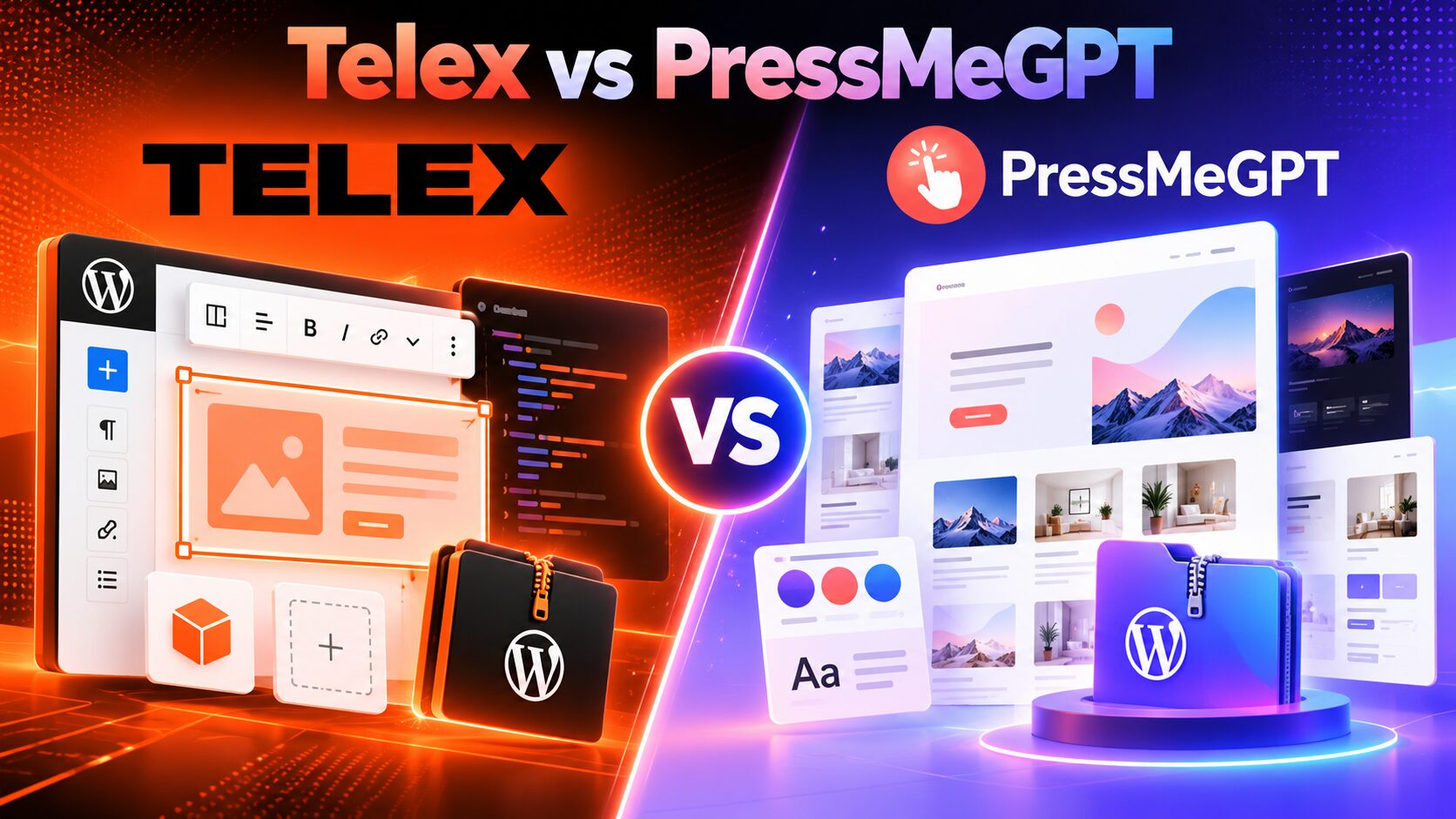
AI is changing WordPress development, but not every AI tool is solving the same problem.
Some tools generate complete website designs. Others convert existing websites into WordPress themes. Some are designed to create small interactive features that would normally require JavaScript, React, PHP, and WordPress block-development experience.
Telex and PressMeGPT are often discussed together because both use natural-language prompts to create WordPress-related output. However, their core purposes are very different.
Telex is an experimental Automatic tool for generating custom Gutenberg blocks and small interactive WordPress features. PressMeGPT is an AI-first website builder, theme generator, and website-conversion platform designed to create complete WordPress websites and exportable themes.
That difference affects almost everything: what you can generate, what you download, how the result is installed, which editing systems are supported, and which tool is better for a real client website.
Quick answer: Telex vs PressMeGPT
Choose Telex if you want to create a custom Gutenberg block, interactive widget, calculator, quiz, game, animation, or small WordPress feature from a prompt. Telex is especially interesting for developers, agencies, educators, and site owners who need a specific piece of functionality.
Choose PressMeGPT if you want to generate a complete WordPress website or theme, create multiple pages and posts, convert an existing website or design to WordPress, migrate media, and export the result for Gutenberg, Classic WordPress, or Elementor workflows.
The simplest distinction is:
Telex generates WordPress blocks. PressMeGPT generates and converts WordPress websites and themes.
Telex can be a powerful companion to a WordPress site created with PressMeGPT. You could use PressMeGPT to create the site structure and design, then use Telex to create a custom interactive block for a calculator, quiz, product tool, or other feature.
Telex vs PressMeGPT: feature comparison
| Feature | Telex | PressMeGPT | Better fit |
|---|---|---|---|
| Primary purpose | ✅ AI-generated Gutenberg blocks and interactive features | ✅ AI-generated WordPress websites, themes, and conversions | Depends on the project |
| Full website generation | — Not its core workflow | ✅ | PressMeGPT |
| Full theme generation | — Generates plugins/blocks rather than complete themes | ✅ | PressMeGPT |
| Custom Gutenberg blocks | ✅ | ◐ Theme and layout generation is the primary focus | Telex |
| Natural-language prompting | ✅ | ✅ | Tie |
| Follow-up AI refinement | ✅ | ✅ | Tie |
| Direct code editing | ✅ | Depends on export and WordPress workflow | Telex |
| Interactive functionality | ✅ Strong use case | ◐ Usually requires WordPress tools or custom development | Telex |
| Homepage generation | — | ✅ | PressMeGPT |
| Multiple website concepts | — Not the main workflow | ✅ | PressMeGPT |
| Multi-page website generation | — | ✅ Pages and posts | PressMeGPT |
| Existing website-to-WordPress conversion | — | ✅ | PressMeGPT |
| Gutenberg support | ✅ Native block output | ✅ Gutenberg block themes | Different strengths |
| Classic WordPress export | — | ✅ | PressMeGPT |
| Elementor export | — | ✅ | PressMeGPT |
| Bricks, Breakdance, or Webflow output | — | — | Neither is the core choice |
| Downloadable output | ✅ Plugin ZIP | ✅ WordPress theme/export formats | Depends on output needed |
| Browser-based preview | ✅ WordPress Playground | ✅ Temporary WordPress preview workflow | Tie |
| Optional media migration | — Not a core workflow | ✅ Available in supported conversion workflows | PressMeGPT |
| No required tool subscription after export | ✅ Generated plugin remains usable | ✅ Exported theme remains maintainable in WordPress | Tie |
| Best for developers | ✅ Block scaffolding and experiments | ✅ Site and theme production | Depends on role |
| Best for freelancers and agencies | ◐ Custom feature work | ✅ Complete client websites | PressMeGPT |
Status key
- ✅ Central or documented support
- ◐ Possible, but not the main product workflow
- — Not the product’s core output or purpose
What is Telex?
Telex is an experimental AI-assisted authoring environment from Automattic’s AI team. It turns natural-language prompts into working WordPress blocks.
The official WordPress description is important: Telex is not an AI website builder in the same sense as a tool that generates a complete homepage, theme, navigation system, and multi-page site. Automattic describes it as an AI tool for making small functional tools as WordPress blocks.
You can describe a feature such as:
- – A Minesweeper game
- – A recipe ingredient scaler
- – A personality quiz
- – A weather forecast block
- – A scratch-to-reveal card
- – A dice roller
- – A confetti button
- – A product carousel
- – A timeline
- – An interactive calculator
Telex generates a working block, previews it in a browser-based WordPress Playground environment, and lets you refine the result with additional prompts. You can also edit the generated code directly before downloading the block as a plugin ZIP.
The downloaded ZIP is installed as a WordPress plugin. That means Telex adds a custom feature to an existing WordPress site; it does not replace the site’s theme or automatically generate the entire website around that feature.
What is PressMeGPT?
PressMeGPT is an AI-first WordPress website builder, theme generator, and website-conversion platform. Its purpose is to move from a business idea, design brief, or existing website to a complete WordPress website structure.
A typical PressMeGPT workflow includes:
- Describe the business, website, or design you want to create.
- Generate a homepage or initial design concept.
- Refine the result using additional AI prompts.
- Add more pages and posts.
- Convert an existing public website when needed.
- Choose a WordPress output format.
- Download and install the result on WordPress.
PressMeGPT supports Gutenberg block themes, Classic WordPress themes, and Elementor-compatible output. It is therefore designed for a broader website-production workflow rather than a single custom block.
PressMeGPT can also analyze a publicly accessible website and recreate its visual structure as an editable WordPress design. The process can include layout, colors, typography, spacing, navigation, images, and content hierarchy. Optional media migration can move supported images and videos into a local WordPress workflow.
The result is not a direct translation of every application feature in the original website. Complex authentication, databases, APIs, payment systems, private dashboards, and advanced JavaScript may still require plugins or development. The main value is transferring the website’s visual design and content structure into WordPress.
The most important difference: blocks versus websites
The comparison becomes much clearer when the output is defined correctly.
Telex creates a feature for WordPress
Telex is ideal when you already have a website or WordPress theme and need to add something custom. You might want a quiz inside a blog post, a recipe scaler inside a food site, or a small calculator inside a service page.
The output is a plugin ZIP containing a Gutenberg block. The block can be installed and used inside WordPress, and the generated code can be inspected or modified.
PressMeGPT creates the website foundation
PressMeGPT is ideal when the main requirement is the site itself. It can help create the homepage, page structure, visual system, layouts, content sections, navigation, and theme output.
The output is intended to be used as a WordPress theme or WordPress-compatible website structure. You can then continue editing the site using Gutenberg, the Classic workflow, Elementor, WordPress plugins, custom CSS, or developer tools depending on the selected export.
Practical conclusion
If the question is “How can I add this custom functionality to my WordPress site?”, Telex is often the better fit.
If the question is “How can I create or migrate the entire WordPress website?”, PressMeGPT is the more direct fit.
1. AI-generated WordPress blocks
This is Telex’s strongest category.
Traditional custom block development can involve React, JavaScript, PHP, block metadata, styling, editor controls, frontend behavior, and plugin packaging. Even a small feature can require development setup, testing, debugging, and deployment work.
Telex reduces the initial friction. You describe the block in natural language, and it generates a working block inside a WordPress-aware environment. The result can include editor controls, frontend behavior, responsive styling, and custom interactions.
For example, Automattic’s official examples include a recipe block with structured data, a personality quiz, an interactive Minesweeper game, and a weather block that retrieves forecast data from public APIs.
Telex is not limited to static text or image blocks. Its most interesting use cases involve interaction: buttons, animations, calculations, random results, user input, and visual feedback.
Winner: Telex
If you need a custom Gutenberg block or interactive WordPress feature, Telex is more specialized and more appropriate.
2. AI-generated websites and themes
PressMeGPT has the clear advantage when the desired output is a complete website or theme.
You can describe the business type, audience, visual style, desired sections, page requirements, colors, typography, and content direction. PressMeGPT then generates a website concept that can be reviewed and refined before export.
The generated project can include:
- – Homepage layouts
- – Header and footer structures
- – Navigation
- – Hero sections
- – Service and feature sections
- – Testimonials and pricing areas
- – Contact and About pages
- – Blog and post structures
- – Global typography and color direction
- – Reusable design patterns
Telex can create a block that contributes to a website, but it does not function as the primary theme-generation workflow. You would still need to create or select the site’s theme, pages, menus, and global design separately.
Winner: PressMeGPT
PressMeGPT is the better choice when the website itself—not just one feature—is the deliverable.
3. Prompt-based customization
Both tools use follow-up prompts, but the scope of customization is different.
Telex refinement
Telex encourages short, focused follow-up prompts. After creating a block, you can ask it to:
- – Add a reset button
- – Make the block responsive
- – Inherit the current theme colors
- – Add an animation after a successful result
- – Change the editor controls
- – Display a different message after user interaction
- – Fix a specific error
You can also open the code view and edit files such as styles or editor behavior directly. This is useful for developers who want AI-generated scaffolding but still want control over the implementation.
PressMeGPT refinement
PressMeGPT uses prompts to refine the website or theme as a whole. You can ask for changes such as:
- – Make the hero section more compact on mobile
- – Use a stronger contrast between the headline and background
- – Move the image to the right side of the hero
- – Add a three-card services section
- – Match the colors of an existing brand
- – Make the navigation easier to use on small screens
- – Create a dedicated pricing page
- – Rework the layout for a law firm or SaaS company
The AI operates at the website and theme level rather than only at the block-code level.
Winner: Different strengths
Telex is stronger for precise feature-level and code-level customization. PressMeGPT is stronger for AI-led visual and structural customization of a complete website.
4. Interactive functionality
This is where Telex can outperform a general AI website generator.
A website may look complete but still need a feature that is unique to the business. Examples include:
- – A mortgage or pricing calculator
- – An interactive quiz
- – A booking estimator
- – A product comparison tool
- – A recipe scaler
- – A timeline or progress tracker
- – A randomizer or dice tool
- – A data display connected to a public API
- – A custom visual animation
Telex is specifically designed to make these types of WordPress blocks. It can generate editor settings, frontend behavior, and the code required to package the block as a plugin.
PressMeGPT can generate the design around a feature, but its primary role is not to replace a custom block-development environment. A custom calculator or API-connected component may still need a WordPress plugin, a Telex-generated block, or custom development after the theme is exported.
Winner: Telex
For custom interactive functionality, Telex is the more focused tool.
5. Homepage and landing-page generation
Most users searching for an AI WordPress website builder want a homepage or landing page—not only a custom block.
PressMeGPT is designed for this use case. You can describe the type of website you want and generate a complete visual direction with sections, typography, colors, and content structure.
The first output is a starting point, not a reason to skip review. You should check the header, hero, call-to-action buttons, layout hierarchy, mobile responsiveness, and content accuracy before exporting.
Telex is not designed to generate a full landing page as its main workflow. It could create individual blocks that appear on a landing page, but the page design and theme structure would need to be created elsewhere.
Winner: PressMeGPT
For AI-generated homepages and landing pages, PressMeGPT is the more relevant tool.
6. Multiple design concepts
When working with clients, the first design is not always the final direction. A client may want to compare a bold startup layout, a premium editorial design, and a more traditional corporate website.
PressMeGPT is designed to explore complete website concepts. You can create a design direction, review it, refine it, or start another concept based on a different prompt. Once a direction is approved, it can be expanded into additional pages and exported.
Telex is more focused on building one block idea at a time. You may generate several versions of a calculator or quiz, but that is not the same as comparing complete website concepts with different global design systems.
Winner: PressMeGPT
PressMeGPT is better for comparing complete website directions. Telex is better for comparing variations of a custom WordPress feature.
7. Multi-page website generation
A complete website normally includes more than a homepage. Depending on the business, it may require About, Services, Pricing, Contact, FAQ, Portfolio, Blog, or campaign pages.
PressMeGPT’s multi-page workflow starts with the main design and allows users to add additional pages and posts. This helps maintain a consistent visual direction across the project instead of creating every page as an unrelated layout.
Telex does not provide the same complete multi-page website workflow. A Telex block can be inserted into many pages, but the pages themselves must be created in WordPress or another website-building workflow.
Winner: PressMeGPT
PressMeGPT is the better fit for building a complete multi-page WordPress project.
8. Website-to-WordPress conversion
This is another major area where PressMeGPT is more directly relevant.
Many users already have a public website, HTML design, AI-generated site, or prototype. They do not want to start from a blank WordPress installation. They want to recreate the existing visual direction in WordPress.
PressMeGPT can use a publicly accessible website as a visual reference. It can analyze elements such as:
- – Page structure and section order
- – Header and navigation
- – Typography and font hierarchy
- – Colors and spacing
- – Buttons and calls to action
- – Images and visual assets
- – Responsive layout patterns
- – Content hierarchy
After generation, the design can be refined and exported as Gutenberg, Classic, or Elementor-compatible output.
Telex does not perform this type of full website conversion. It creates new blocks from prompts. It may be useful after a conversion if the migrated website needs a custom feature, but it is not the migration engine itself.
Winner: PressMeGPT
For converting an existing website or design into WordPress, PressMeGPT provides the more direct workflow.
9. Gutenberg and native WordPress output
Both tools are connected to the native WordPress block system, but they use it differently.
Telex and Gutenberg
Gutenberg is Telex’s central environment. Telex creates custom blocks that can be inserted into posts, pages, template parts, and other block-supported areas.
The generated block is delivered as a plugin. The site’s existing theme remains in place, while the new block adds a feature to the editor and frontend.
This is useful when you want native block functionality without relying on a shortcode or a third-party page builder widget.
PressMeGPT and Gutenberg
PressMeGPT can export a Gutenberg-oriented WordPress theme. This output is designed around the website’s broader structure, including pages, navigation, global styles, templates, and reusable patterns.
The practical difference
- Telex creates a native block feature.
- PressMeGPT creates a native WordPress website or theme foundation.
Winner: Tie, for different jobs
Telex is stronger for custom block functionality. PressMeGPT is stronger for complete Gutenberg-based website production.
10. Classic WordPress and Elementor support
WordPress projects do not all use the same editing system. Some clients prefer the native block editor, some maintain traditional Classic themes, and many agencies work with Elementor.
PressMeGPT supports Gutenberg, Classic WordPress, and Elementor-compatible output. This gives freelancers and agencies more flexibility when matching an existing client environment.
Telex is focused on Gutenberg. Its generated blocks are designed for the WordPress block editor and do not function as Elementor widgets or Classic theme exports.
This is not a weakness in Telex’s intended use case; it is a deliberate technical focus. But it matters if your workflow is built around Elementor or if you need to support older Classic WordPress projects.
Winner: PressMeGPT
For teams working across Gutenberg, Classic, and Elementor projects, PressMeGPT provides broader WordPress output options.
11. Downloadable output and installation
The two products export different types of WordPress assets.
Telex plugin ZIP
Telex packages the generated block as a plugin ZIP. You can install the ZIP through WordPress’s plugin uploader, activate it, and then insert the generated block where needed.
This is a good distribution model for a custom feature. The feature can be moved between compatible WordPress sites as a plugin, subject to testing and compatibility review.
PressMeGPT theme output
PressMeGPT provides WordPress-oriented theme exports. Depending on the selected output, the result can be used with Gutenberg, the Classic workflow, or Elementor.
The theme can be downloaded, installed, and maintained in WordPress. It is therefore suitable for client handoff, staging-to-production workflows, and hosting on the provider of your choice.
Winner: Depends on the asset
- Need a reusable block feature? Choose Telex.
- Need a complete installable website or theme? Choose PressMeGPT.
12. Preview and testing workflow
Telex uses WordPress Playground to preview generated blocks in the browser. This is valuable because you can interact with the block before installing it on a live or staging site.
You can test editor controls, frontend behavior, responsive layout, and basic interactions. The preview also helps identify generated code that needs more prompting or manual editing.
PressMeGPT uses a different type of preview workflow. It can provide a temporary WordPress environment for reviewing generated website designs before export. This is more suitable for checking site-wide layout, page structure, navigation, headers, footers, and responsive presentation.
Winner: Tie, for different testing goals
Telex is better for testing one interactive block. PressMeGPT is better for reviewing an entire website before exporting it.
13. Reliability, code quality, and production readiness
Telex is explicitly experimental. Automattic’s documentation warns that results can vary, generated code may fail, and some complex block patterns—especially blocks requiring inner blocks—are not currently supported well.
That does not make Telex unhelpful. It means users should treat it as an AI development assistant and prototype generator rather than assuming every generated plugin is production-ready without review.
Before using a Telex block on a live site, test:
- – Editor behavior
- – Frontend output
- – Mobile responsiveness
- – Accessibility
- – Data validation
- – API requests and error handling
- – Security and sanitization
- – Plugin compatibility
- – Performance
- – WordPress version compatibility
PressMeGPT also requires review, but the risks are different. A generated theme may need manual refinement for spacing, responsive behavior, navigation, image paths, SEO settings, forms, and plugin compatibility.
PressMeGPT is intended to accelerate website production; it does not remove the need for staging, backups, content review, accessibility checks, and performance testing.
Winner: Neither automatically
Telex requires code and functionality review. PressMeGPT requires design, content, theme, and deployment review. Both are accelerators, not substitutes for quality assurance.
14. Performance and maintenance
The final performance of a WordPress site depends on the hosting environment, theme structure, plugins, images, scripts, fonts, caching, and implementation choices.
Telex-generated blocks can be lightweight when they solve a focused problem, but interactive blocks may include JavaScript, API requests, animations, or dynamic behavior. Each block should be tested for frontend performance and compatibility with the active theme.
PressMeGPT’s performance depends on the selected export format and how the site is completed after generation. A Gutenberg or Classic theme may reduce reliance on a heavy page builder, but images, plugins, fonts, and custom functionality still need optimization.
For either workflow, check:
- – Core Web Vitals
- – Mobile rendering
- – Image compression
- – Font loading
- – Unused CSS and JavaScript
- – Accessibility
- – Heading hierarchy
- – Forms and validation
- – Plugin compatibility
- – Caching and hosting configuration
Winner: Depends on implementation
Telex can be efficient for a focused block. PressMeGPT can provide a cleaner theme foundation when the project is exported to Gutenberg or Classic WordPress. Neither tool guarantees performance without testing.
15. Pricing and availability
Telex has been presented by Automattic as a free experimental tool, with no WordPress.com paid plan required according to the official WordPress announcement. Because it remains an experiment, availability, account requirements, limits, and future pricing may change.
The current Telex experience should be checked directly at telex.automattic.ai before publishing a buying guide or promising a specific usage limit.
PressMeGPT uses a plan and credit-based model. Pricing can change as the platform adds models, generation options, website conversion, media migration, additional pages, and other capabilities. Review the current PressMeGPT pricing page rather than relying on fixed prices in an evergreen article.
The value question is different for each tool:
- Telex can provide substantial value when it replaces custom block scaffolding or a small development task.
- PressMeGPT can provide stronger value when it reduces the time required to design, convert, refine, export, and deliver an entire WordPress website.
Telex pros and cons
| Pros | Cons |
|---|---|
| Generates custom Gutenberg blocks from natural-language prompts | Experimental and non-deterministic |
| Useful for interactive functionality and small WordPress tools | Not a full AI website builder or complete theme generator |
| Runs in a browser-based WordPress Playground environment | Focused on Gutenberg rather than Elementor or Classic WordPress |
| Allows follow-up prompts and direct code editing | Generated code may require debugging and manual fixes |
| Downloads output as a plugin ZIP | Complex inner-block structures are a documented limitation |
| Offers shareable previews for collaboration | Does not provide a full website-to-WordPress conversion workflow |
| Useful for developers, agencies, educators, and site owners | Does not automatically create a complete multi-page website |
| Can create unusual features that are not available in standard block libraries |
PressMeGPT pros and cons
| Pros | Cons |
|---|---|
| AI-first WordPress website and theme generation | Does not specialize in generating custom code-heavy Gutenberg blocks like Telex |
| Generates complete website concepts rather than only individual blocks | Generated themes still require testing and refinement |
| Supports AI refinement of layouts, styles, and content direction | Complex application logic, authentication, APIs, and databases may need separate development |
| Supports additional pages and posts | Media migration and advanced generation tasks may use additional credits |
| Can convert public website designs into WordPress | Elementor output may require the appropriate Elementor environment for editing |
| Offers Gutenberg, Classic, and Elementor-oriented output | The output should be reviewed on a staging site before replacing an existing website |
| Provides optional media migration in supported conversion workflows | |
| Creates portable WordPress-oriented output for hosting and handoff | |
| Does not require an ongoing PressMeGPT subscription simply to maintain an exported theme | |
| Useful for freelancers, agencies, developers, and business owners |
Which tool should you choose?
Choose Telex when:
- – You need one custom Gutenberg block.
- – You want to build a calculator, quiz, game, or interactive widget.
- – You want AI-generated block scaffolding that you can inspect and edit.
- – You are a developer experimenting with WordPress block development.
- – You want to create a feature for an existing WordPress theme.
- – You need a quick prototype for a client or internal project.
- – You are comfortable testing generated code before production use.
Choose PressMeGPT when:
- – You want to create a complete WordPress website.
- – You need a homepage, pages, posts, navigation, and global styling.
- – You want to compare multiple complete design concepts.
- – You need to convert an existing website or design to WordPress.
- – You want Gutenberg, Classic, or Elementor output options.
- – You need a portable theme for client handoff or independent hosting.
- – You want to add multiple pages and posts through an AI-led workflow.
- – You are a freelancer or agency producing WordPress websites.
Can Telex and PressMeGPT be used together?
Yes. In fact, the tools can be complementary rather than direct replacements.
A practical workflow could look like this:
- Use PressMeGPT to generate the website structure and visual theme.
- Export and install the result on WordPress.
- Identify a custom feature the website needs.
- Use Telex to generate that feature as a Gutenberg block.
- Test the block on a staging site.
- Install and activate the plugin.
- Insert the block into the PressMeGPT-generated website.
- Review design consistency, responsiveness, accessibility, and performance.
For example, PressMeGPT could generate a restaurant website, while Telex could create an interactive menu-scaling block. PressMeGPT could generate a consulting website, while Telex could create a project-cost calculator. PressMeGPT could create a blog theme, while Telex could add a quiz or interactive timeline.
This combined approach reflects the actual difference between the products: one generates the site foundation, while the other generates custom block functionality.
Real-world use cases
Creating a small interactive tool for an existing site
Best fit: Telex
If the website already exists and needs a calculator, quiz, game, data display, or interactive feature, Telex is the more direct solution.
Building a small-business WordPress website
Best fit: PressMeGPT
PressMeGPT can generate the homepage, supporting pages, visual system, and WordPress theme output in one workflow.
Converting an AI-generated website to WordPress
Best fit: PressMeGPT
PressMeGPT is designed to use a public website or design as a visual reference and recreate it as an editable WordPress website.
Prototyping a custom WordPress block
Best fit: Telex
Telex is built specifically for natural-language block generation, preview, iteration, code editing, and plugin download.
Delivering several client websites
Best fit: PressMeGPT
Agencies and freelancers usually need a repeatable process for generating, refining, exporting, staging, and handing off a complete WordPress website. PressMeGPT is more directly aligned with that production workflow.
Learning how WordPress blocks work
Best fit: Telex
Telex can provide a working example and expose the code behind a block. It can be useful as a learning and experimentation environment, although generated code still needs to be understood and reviewed.
Final verdict: Telex and PressMeGPT solve different WordPress problems
Telex is an exciting experimental tool, but it should not be described as a direct replacement for a full AI website builder. Automattic’s own documentation positions it as a way to create custom Gutenberg blocks and small functional tools.
That makes Telex highly valuable for interactive features. It can reduce the barrier to building a recipe scaler, quiz, calculator, game, animation, or API-connected block. Developers can also use it for scaffolding and experimentation before refining the code manually.
PressMeGPT solves a broader website-production problem. It helps users generate complete WordPress website concepts, refine them with AI prompts, create additional pages and posts, convert existing website designs, migrate supported media, and export the result for Gutenberg, Classic WordPress, or Elementor workflows.
The fairest conclusion is:
Telex is better for generating custom Gutenberg blocks. PressMeGPT is better for generating and converting complete WordPress websites and themes.
If your project needs both a professional website and a custom interactive feature, you may not have to choose only one. Use PressMeGPT for the website foundation and Telex for the specialized block functionality.
FAQs
Is Telex an AI website builder?
Not in the traditional full-website sense. Automattic describes Telex as an experimental tool for creating small functional WordPress blocks. It does not primarily generate a complete homepage, theme, navigation system, and multi-page website.
Does Telex generate WordPress themes?
Telex generates Gutenberg blocks packaged as plugin ZIP files. It does not primarily generate complete Classic or block themes. The generated block is installed alongside the active WordPress theme.
Can Telex create interactive WordPress features?
Yes. Interactive features are one of Telex’s strongest use cases. Examples include quizzes, games, recipe scalers, weather displays, animations, dice rollers, calculators, and other custom block experiences.
Can PressMeGPT create custom Gutenberg blocks?
PressMeGPT’s central focus is complete website and theme generation rather than custom block-code generation. It can create Gutenberg-based layouts and themes, while specialized interactive functionality may require a plugin, Telex-generated block, or custom development.
Can PressMeGPT generate a complete WordPress website?
Yes. PressMeGPT can generate a homepage and expand the project with additional pages and posts. It can also refine the design with AI prompts and export the result in WordPress-oriented formats.
Can PressMeGPT convert an existing website to WordPress?
Yes, when the source website is publicly accessible. PressMeGPT uses the site as a visual reference and recreates its design structure, styling, content hierarchy, and responsive layout as a WordPress project. Complex application logic may require separate development.
Does Telex support Elementor?
Telex is focused on Gutenberg blocks and does not provide Elementor theme or widget output as its core workflow. PressMeGPT supports Elementor-oriented exports in addition to Gutenberg and Classic WordPress formats.
Which tool is better for Gutenberg?
It depends on what you want to do. Telex is better for generating a custom Gutenberg block. PressMeGPT is better for generating a complete Gutenberg-based website or theme.
Is Telex free?
Automattic’s official WordPress announcement described Telex as free to use at the time of publication, with no WordPress.com paid plan required. Because Telex remains experimental, check the current Telex website for the latest access and usage terms.
Do I need a PressMeGPT subscription after exporting a theme?
No. After exporting and installing a theme, you can maintain it in WordPress without an ongoing PressMeGPT subscription. You would return to PressMeGPT for new generations, AI revisions, conversions, or additional exports.
Which tool is better for agencies?
PressMeGPT is generally better for agencies producing complete WordPress websites and themes. Telex is valuable as a supporting tool when an agency needs to add custom interactive Gutenberg functionality to an existing or newly generated site.