
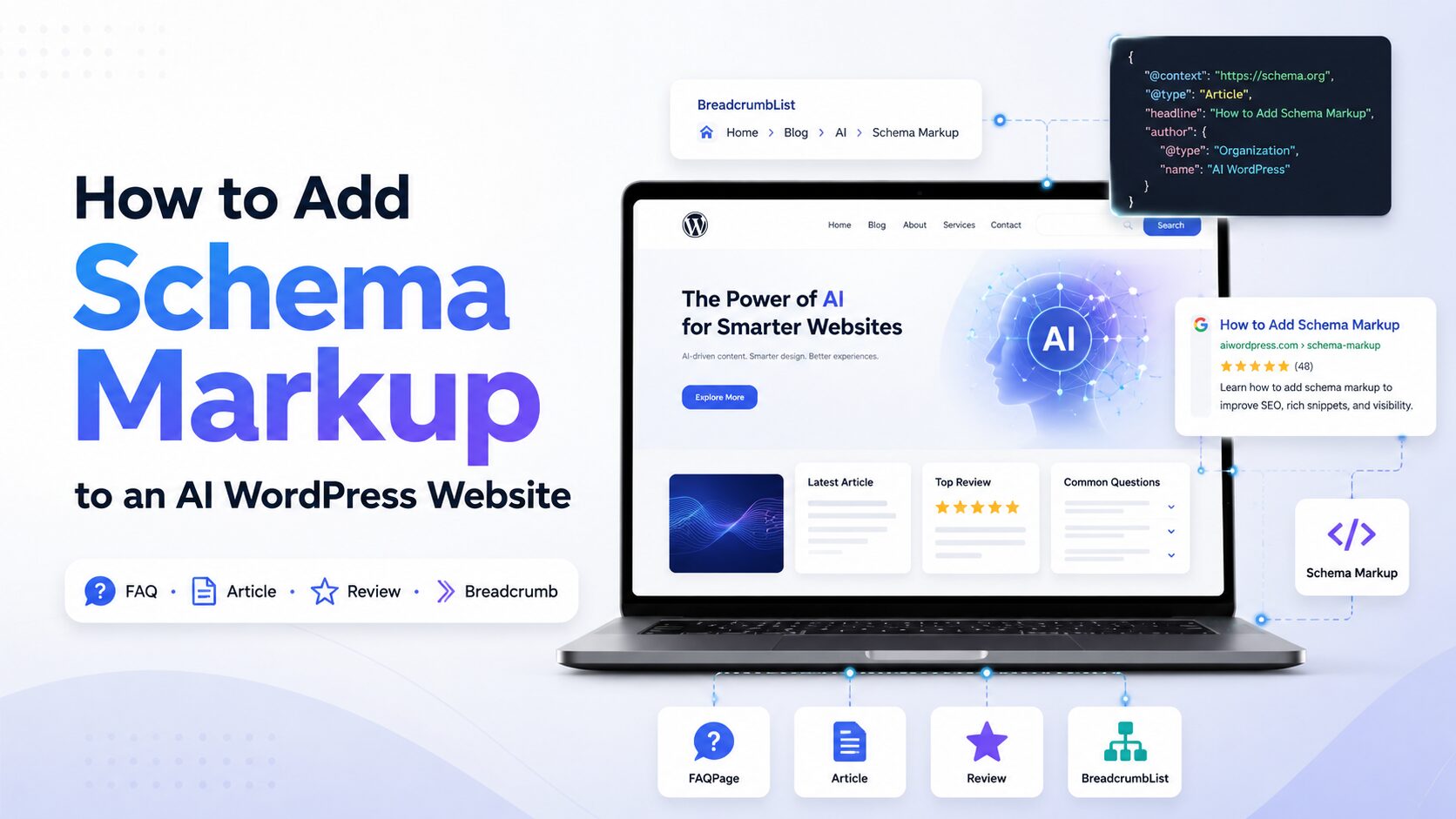
Schema markup used to be a nice-to-have for SEO — a way to earn star ratings or a FAQ dropdown in Google. In 2026, it has become something more fundamental: it’s the layer of code that lets both search engines and AI systems (Google AI Overviews, ChatGPT, Perplexity, Bing Copilot) understand exactly what your content means, who wrote it, and why it should be trusted. For a WordPress site that publishes AI-assisted content, runs an AI chatbot, or simply wants to be found by both Google and the growing number of “answer engines,” schema markup isn’t optional anymore. It’s infrastructure.
This guide walks through everything you need: what schema markup is, why it matters more than ever for AI-era websites, every practical method for adding it to WordPress (plugins, manual code, and AI-assisted generation), and how to test, maintain, and avoid breaking it.
1. What Schema Markup Actually Is
Schema markup is code — almost always written today in JSON-LD (JavaScript Object Notation for Linked Data) — that you embed in a page to describe its content in a structured, machine-readable way. It uses a shared vocabulary maintained at schema.org, so an Article, a Product, a Recipe, or an Organization means the same thing to every search engine and AI crawler that reads it.
There are three technical formats schema can be written in:
| Format | How it works | Recommended? |
|---|---|---|
| JSON-LD | A self-contained script block, separate from your visible HTML | Yes — Google’s preferred format, and the format every major AI crawler parses most reliably |
| Microdata | Attributes (itemscope, itemprop) embedded directly inside HTML tags | Legacy, harder to maintain |
| RDFa | Similar to Microdata, embedded as HTML attributes | Legacy, mostly used in enterprise CMSs |
Without structured data, a search engine or AI model has to infer meaning from raw text — it sees a block of numbers and has to guess whether it’s a price, a phone number, or a product code. Schema markup removes the guesswork by explicitly labeling that information.
A minimal example — marking up a blog post as an Article:
html
<script type="application/ld+json">
{
  "@context": "https://schema.org",
  "@type": "Article",
  "headline": "How to Add Schema Markup to an AI WordPress Website",
  "author": {
    "@type": "Person",
    "name": "Jane Doe",
    "url": "https://example.com/author/jane-doe"
  },
  "datePublished": "2026-07-01",
  "dateModified": "2026-07-10",
  "publisher": {
    "@type": "Organization",
    "name": "Example Blog",
    "logo": {
      "@type": "ImageObject",
      "url": "https://example.com/logo.png"
    }
  },
  "mainEntityOfPage": "https://example.com/schema-markup-guide"
}
</script>
That block sits quietly in your page’s <head> or <body> — invisible to human visitors, but fully readable by any crawler.
2. Why Schema Markup Matters More on an AI-Powered WordPress Site
If your WordPress site uses AI in any way — AI-drafted or AI-assisted articles, an AI chat widget, AI-generated product descriptions, or an AI-driven content pipeline — schema markup does double duty:
It still earns traditional rich results. Product prices and availability, review stars, event details, and breadcrumb trails in Google’s classic search results all still depend on accurate schema. (Note: Google retired classic FAQ rich results in May 2026 and HowTo rich results back in 2023 — those specific visual snippets no longer appear in search, though the underlying FAQPage and HowTo schema types can still be useful signals for AI systems, described next.)
It’s now the primary way AI systems verify and cite your content. Generative answer engines — Google AI Overviews, ChatGPT search, Perplexity, Microsoft Copilot — work by retrieving content from the web and then synthesizing an answer grounded in what they retrieved (a technique called retrieval-augmented generation). Both Google’s Search team and Bing’s product team have publicly confirmed that structured data helps their AI systems understand and cite content more reliably than plain prose alone. AI crawlers like Perplexity’s and OpenAI’s search bots have been observed prioritizing structured JSON-LD data on a page over parsing the surrounding HTML.
It signals authorship and trustworthiness (E-E-A-T). Because AI-generated or AI-assisted content faces more scrutiny around originality and reliability, Person and Organization schema that clearly identifies a real author, their credentials, and your organization’s identity does real work in establishing that a page is credible — both for human trust and for how AI systems weigh a source.
It has to stay accurate, or it backfires. AI systems increasingly cross-reference schema claims against the visible content and other sources. A mismatch — schema claiming a review score, an author, or a publish date that doesn’t match what’s actually on the page — can get your structured data ignored or your page down-weighted entirely. This matters especially on AI-assisted sites where content, dates, or bylines might be templated or auto-generated and can drift out of sync with what a plugin has cached.
In short: schema markup is how you translate your content for machines — and on a site where AI is either producing your content or consuming (and citing) it, that translation layer matters twice as much.
3. Schema Types Worth Prioritizing on a WordPress Site
You don’t need every schema type schema.org offers. Focus on what matches your actual content:
| Schema Type | Use it for |
|---|---|
Organization / WebSite | Every site — establishes your brand entity, logo, and social profiles (sitewide, usually on the homepage) |
Person | Author bios — critical for E-E-A-T and AI trust signals |
Article / BlogPosting / NewsArticle | Blog posts and news content |
Product + Offer + AggregateRating | Ecommerce / WooCommerce product pages |
Review | Genuine customer or editorial reviews (never self-assigned ratings — see mistakes section) |
FAQPage | Pages with genuine Q&A content — still valuable for AI citation even without the old visual snippet |
HowTo | Step-by-step tutorials — same caveat as above |
Recipe | Food blogs |
LocalBusiness | Any business with a physical location or service area |
BreadcrumbList | Site navigation hierarchy — helps both search engines and AI understand site structure |
Event | Webinars, conferences, in-person events |
VideoObject | Embedded or hosted video content |
Speakable | Marks sections suited to voice assistants and AI read-aloud |
Most WordPress sites should aim for a baseline of Organization, WebSite, Person (authors), Article/BlogPosting, and BreadcrumbList sitewide — then layer in Product, Review, FAQPage, Recipe, or Event schema depending on the content type.
4. Before You Start: Three Things to Check
- Audit what’s already there. Many WordPress themes and page builders add basic metadata automatically, and if you already run an SEO plugin, it may already be generating some schema. Adding a second source of schema on top can create conflicting or duplicate markup, which search engines and AI crawlers will simply ignore. Check your page source (
Ctrl+U/Cmd+Option+U, then search forapplication/ld+json) or run your homepage through Google’s Rich Results Test (covered in Section 8) before adding anything new. - Decide on one source of truth. Pick a single method — a plugin, a manual template, or an AI-generation workflow — to be your canonical schema source, and disable schema output anywhere else. Running two schema-generating plugins simultaneously is one of the most common causes of broken structured data.
- Know your content types. Make a quick list of your site’s page types (blog posts, product pages, service pages, author pages, FAQ pages) so you can map the right schema type to each one rather than applying one generic type everywhere.
5. Method 1: Use an SEO/Schema Plugin (Recommended for Most Sites)
For the overwhelming majority of WordPress sites, a plugin is the safest and most maintainable way to add schema — no risk of a stray character breaking your site, and markup updates automatically as you publish new content.
Popular options in 2026
| Plugin | Best for | Notes |
|---|---|---|
| Rank Math | Full SEO + schema in one plugin | Generous free tier; visual schema generator; per-post schema type selection; schema import/validation |
| All in One SEO (AIOSEO) | Beginners wanting an all-in-one tool | 20+ schema types via guided fields; built-in validator |
| Yoast SEO | Sites that already run Yoast | Automatically builds a linked schema “graph” (Organization → WebPage → Article → Author) with minimal configuration, though customization is more limited than dedicated schema tools |
| Schema Pro (by Brainstorm Force) | Sites that want schema only, layered on top of an existing SEO plugin | Premium-only; strong automation — map a schema type once and apply it site-wide by post type |
| Schema & Structured Data for WP & AMP | Sites needing a very wide range of niche schema types | 35+ types, Gutenberg blocks, AMP support |
Step-by-step: adding schema with a plugin (using Rank Math as the example)
- Install and activate your chosen plugin from Plugins → Add New in your WordPress dashboard.
- Run the plugin’s setup wizard — most will ask for your site type (business, blog, personal), logo, and social profiles. This information populates your sitewide
Organization/WebSiteschema automatically. - Go to Rank Math → Titles & Meta → [content type] (e.g., Posts, Pages, Products) to set a default schema type for each content type — for example,
BlogPostingfor all posts. - Open an individual post or page in the editor. Scroll to the Rank Math meta box and click the Schema tab.
- Choose a schema type from the catalog (or select “None” if you don’t want markup on that specific page) and fill in the guided fields — headline, author, date, image, etc. Most fields auto-populate from the post itself.
- For product, review, recipe, event, or FAQ content, select the matching schema type and fill in the extra fields specific to that type (price, availability, ingredients, ratings, etc.).
- Save/update the post. The plugin will generate the JSON-LD automatically and inject it into the page.
- Repeat for your key page templates, or use the plugin’s bulk/automation features (available in Rank Math Pro, AIOSEO, and Schema Pro) to apply a schema type across an entire post type at once, rather than page by page.
This approach requires zero code and scales well — new posts inherit your default schema type automatically.
6. Method 2: Add Schema Manually with JSON-LD (For Developers)
If you want full control, or need a schema type your plugin doesn’t support, you can hand-code JSON-LD and inject it via your theme.
Important: never edit your live theme’s files directly — use a child theme, so your changes survive theme updates.
Add a sitewide script (e.g., Organization schema) to header.php
In your child theme’s header.php, just before the closing </head> tag:
php
<script type="application/ld+json">
{
  "@context": "https://schema.org",
  "@type": "Organization",
  "name": "<?php bloginfo('name'); ?>",
  "url": "<?php echo home_url(); ?>",
  "logo": "<?php echo get_site_icon_url(); ?>",
  "sameAs": [
    "https://www.linkedin.com/company/example",
    "https://twitter.com/example"
  ]
}
</script>
Add dynamic, per-post schema via functions.php
For something more scalable — automatically generating Article schema for every blog post — add a function to your child theme’s functions.php that hooks into wp_head:
php
function my_article_schema() {
    if ( is_single() ) {
        global $post;
        $schema = array(
            '@context'      => 'https://schema.org',
            '@type'         => 'BlogPosting',
            'headline'      => get_the_title(),
            'author'        => array(
                '@type' => 'Person',
                'name'  => get_the_author(),
            ),
            'datePublished' => get_the_date( 'c' ),
            'dateModified'  => get_the_modified_date( 'c' ),
            'mainEntityOfPage' => get_permalink(),
        );

        if ( has_post_thumbnail() ) {
            $schema['image'] = get_the_post_thumbnail_url( $post->ID, 'full' );
        }

        echo '<script type="application/ld+json">' . wp_json_encode( $schema ) . '</script>' . "\n";
    }
}
add_action( 'wp_head', 'my_article_schema' );
This generates a correct, live-updating BlogPosting schema block for every single post without needing a plugin at all. You can extend the pattern for Product, Event, FAQPage, or any other type by adjusting the fields and the conditional (is_product(), is_page_template(), etc.).
7. Method 3: Code Snippet Plugins (No Theme Editing Required)
If you’d rather not touch theme files — useful if you’re not comfortable with PHP, or your theme gets updated often — a code snippet plugin lets you paste the same kind of JSON-LD safely:
- WPCode (formerly Insert Headers and Footers) — lets you add custom JSON-LD snippets sitewide, or conditionally on specific post types, with a visual rule builder.
- Insert Headers and Footers by WPBeginner — simpler, sitewide-only header/footer script injection.
- Custom HTML block in the WordPress block editor — for one-off schema on a single page, you can drop a raw
<script type="application/ld+json">block directly into a post using the Custom HTML block.
This is a good middle ground between “install a full SEO plugin” and “hand-edit theme files.”
8. Method 4: Google Tag Manager (For Marketing-Ops-Heavy Teams)
If your team already manages tracking scripts through Google Tag Manager, you can deploy JSON-LD the same way: create a Custom HTML tag containing your schema script, and set a trigger (e.g., “All Pages” or a specific page path). This keeps schema changes out of your codebase entirely and lets marketing update it without a developer — though it’s generally considered less reliable than server-rendered schema, since GTM-injected tags rely on client-side JavaScript firing correctly, and some crawlers render JavaScript inconsistently. Use this method as a supplement, not your primary schema source, if SEO/AI visibility is a priority.
9. Method 5: AI-Assisted Schema Generation
Since you’re building an AI-powered WordPress site, it makes sense to use AI tools directly in your schema workflow — either through built-in “AI schema generator” features in some plugins, or by using an AI assistant like Claude to draft the JSON-LD for you.
Using an AI assistant to draft schema
You can paste a page’s content into an AI chat and ask it to generate accurate JSON-LD. A good prompt gives the AI everything it needs to avoid guessing:
“Generate valid schema.org JSON-LD for a
BlogPosting. Title: [exact headline]. Author: [name and author page URL]. Publish date: [date]. Last modified: [date]. Publisher/organization name and logo URL: [details]. Featured image URL: [url]. Do not invent any fields I haven’t provided — leave them out if unknown.”
This works well for one-off pages, unusual schema types your plugin doesn’t support, or troubleshooting invalid markup. Two things to keep in mind:
- Always fact-check the output against the live page. AI models can format valid JSON-LD syntax correctly while still inventing plausible-sounding values (a wrong date, a placeholder rating) if you don’t supply the real data explicitly. Schema built on invented values is worse than no schema, since it creates the accuracy mismatches search engines and AI crawlers are now actively penalizing.
- Validate before publishing (see Section 10) — never paste AI-generated schema straight into your site without running it through a validator first.
AI-assisted / automated schema at scale
If you’re running an AI content pipeline that publishes many pages (for example, AI-generated product descriptions or programmatic content), it’s worth automating schema generation as part of that same pipeline rather than adding it after the fact — e.g., having your content-generation script also populate a Product or Article JSON-LD template with the same structured fields (title, price, date, author) it used to generate the page itself. This keeps your schema and your visible content generated from the same source of truth, which is exactly what prevents the mismatches AI crawlers flag.
10. Special Considerations for AI-Generated or AI-Assisted Content
If AI plays a role in producing your site’s content, a few schema-specific practices matter more than usual:
- Use real
Personschema for authorship, even for AI-assisted posts. A named human editor or reviewer with a genuine author bio, credentials, and an author archive page is one of the clearest trust and E-E-A-T signals you can send — to readers and to AI systems alike. - Keep
dateModifiedhonest and current. If a plugin auto-updates this every time a template renders (rather than when content genuinely changes), it can create a mismatch that undermines trust signals. Make sure it reflects real edits. - Don’t let templated schema drift from templated content. On large AI-generated catalogs (e.g., thousands of AI-written product descriptions), a bug in your generation script can silently produce schema that no longer matches the visible page — periodic spot-checks matter more here than on a small hand-edited site.
- Disclose AI involvement where your organization’s policy requires it. Schema.org doesn’t yet have a standardized widely-adopted “AI-generated” property in common use, but if you have a disclosure statement, adding it as visible on-page content (which can then be referenced in an
aboutordisclosureText-style custom property, or simply as body text) keeps you aligned with emerging transparency expectations from both regulators and AI platforms.
11. Testing and Validating Your Schema
Never consider schema “done” until you’ve tested it. Use all three of these:
- Google’s Rich Results Test (search.google.com/test/rich-results) — paste a URL or code snippet to see exactly which rich result types Google recognizes, and any errors or warnings.
- Schema.org Validator (validator.schema.org) — checks strict syntax and vocabulary compliance, independent of Google-specific rules.
- Google Search Console → Enhancements — once your site is verified, Search Console will show you structured data errors across your entire site over time, not just one page at a time, which is essential for catching template-wide bugs.
Most schema plugins (Rank Math, AIOSEO, Schema Pro) also include a built-in validator in the dashboard — use it as a first pass, then confirm with Google’s own tool before publishing anything important.
12. Common Mistakes to Avoid
- Running two schema sources at once. If your SEO plugin and a separate schema plugin (or a manually coded snippet) both output markup for the same page, search engines and AI crawlers receive contradictory signals and may discard both. Pick one source of truth per schema type.
- Marking up content that isn’t visible on the page. Google’s guidelines are explicit: schema must reflect what a visitor can actually see. Adding review stars in code when there’s no visible review on the page is a guideline violation, not a shortcut.
- Self-assigning or inventing ratings.
AggregateRatingandReviewschema must come from genuine collected reviews — fabricated ratings risk your markup being ignored or your site being flagged. - Letting schema go stale. A post edited last month but still stamped with the original
dateModified, or an author byline schema that doesn’t match a byline change on the page, are inconsistencies that erode the accuracy signal AI crawlers are increasingly checking for. - Over-marking every page with every possible type. More schema isn’t automatically better — irrelevant or forced schema types add noise without adding value, and increase the surface area for something to break.
- Skipping validation before publishing. A single malformed character in hand-coded JSON-LD can invalidate the entire block silently — always test before and after any manual change.
13. Maintaining Schema Over Time
Schema markup isn’t “set and forget,” especially as schema.org’s vocabulary and search engines’ guidelines continue to evolve:
- Re-check Search Console’s Enhancements reports monthly for new errors, especially after a plugin update, theme update, or bulk content import.
- Re-audit after any plugin change — switching SEO plugins is one of the most common causes of sudden duplicate or missing schema.
- Revisit your schema type coverage quarterly as schema.org adds new types and as search/AI platforms shift which types they reward (as happened with the 2026 retirement of FAQ rich results).
- Spot-check a sample of AI-generated pages regularly if you run any automated content pipeline, to catch silent template drift before it affects your whole site.
Quick-Start Checklist
- – Audit existing schema on the site (view page source or run the Rich Results Test) before adding anything new
- – Choose one schema source: plugin, manual code, or an AI-assisted pipeline — and disable others
- – Set up sitewide
Organization/WebSiteschema - – Add
Personschema for every author, linked to a real author bio page - – Apply
Article/BlogPosting(or the appropriate type) as the default for your main content type - – Add
Product,Review,Recipe,Event, orFAQPageschema only where genuinely relevant - – Validate every new schema type with the Rich Results Test and the Schema.org Validator
- – Connect Google Search Console and check the Enhancements reports regularly
- – Keep
datePublished/dateModifiedaccurate and in sync with real edits - – Re-audit after any plugin, theme, or content-pipeline change
Conclusion
Schema markup has quietly become one of the highest-leverage things you can do for a modern WordPress site — not just for the rich snippets it earns in classic search, but for how it lets AI Overviews, ChatGPT, Perplexity, and Copilot understand, trust, and cite your content. For a WordPress site with any AI involvement — AI-assisted writing, an AI chatbot, or an automated content pipeline — getting schema right, keeping it accurate, and validating it regularly isn’t a one-time SEO task. It’s part of how you make your site legible to the machines that are increasingly standing between your content and your readers.
Start with a plugin if you want the fastest, safest path to full coverage. Reach for manual JSON-LD or an AI-assisted workflow when you need precision or scale a plugin can’t give you. Either way: pick one source of truth, keep it accurate, and test before you publish.