
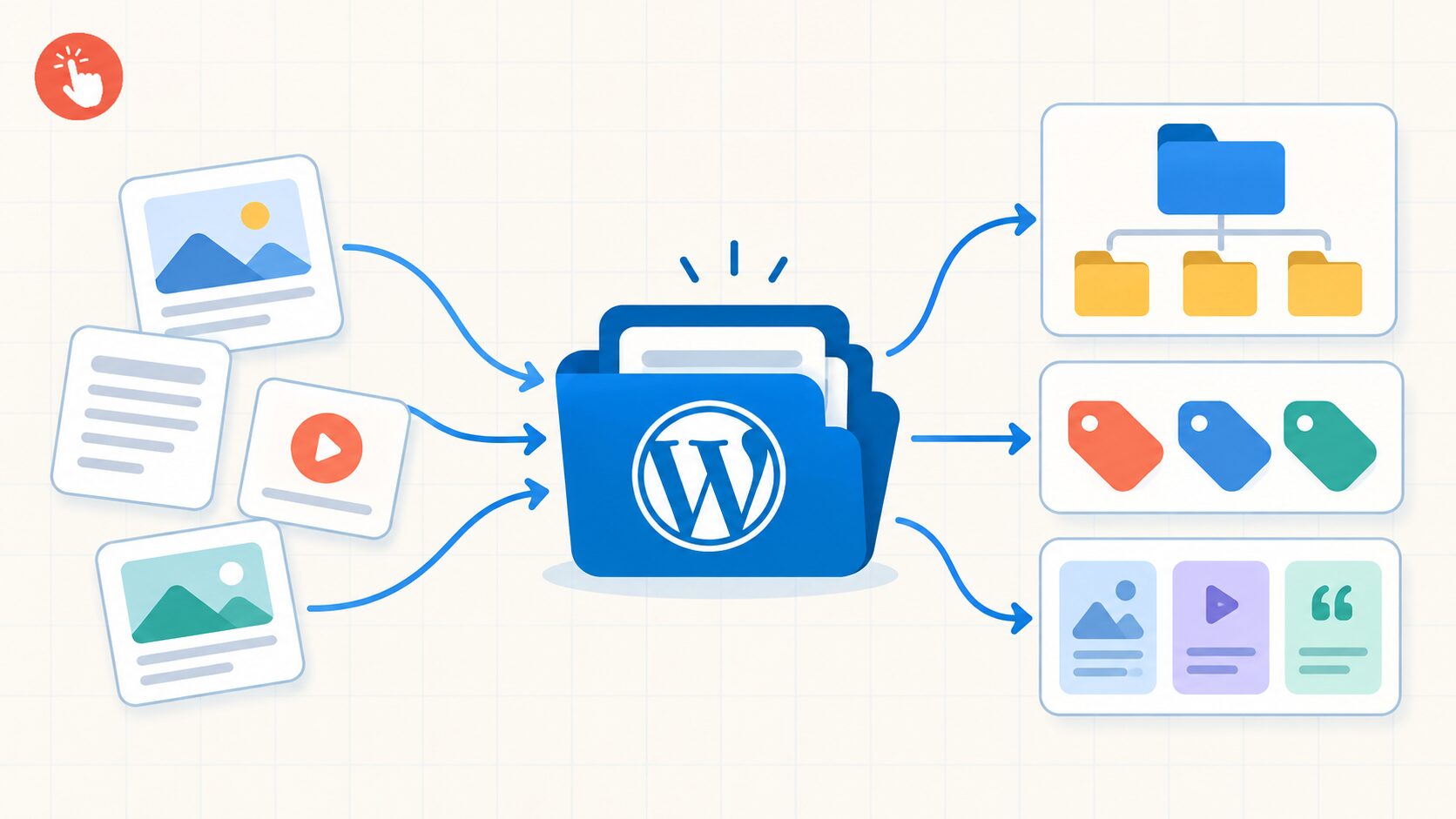
Taxonomy in WordPress is the system used to classify related content. It helps you group posts, products, portfolio items, case studies, and other content so visitors and site owners can find it more efficiently.
Categories and tags are the familiar examples, but WordPress also supports custom taxonomies for specific content models. A well-planned taxonomy can improve navigation and support scalable archive pages. Simply creating dozens of labels, however, does not automatically improve SEO.
Taxonomy, terms, and objects: what is the difference?
These three concepts are related but not interchangeable:
- – A taxonomy is the classification system, such as “Topic” or “Industry.”
- – A term is an individual label inside that system, such as “WordPress,” “Ecommerce,” or “Healthcare.”
- – An object is the content being classified, such as a post, page, product, or custom post type item.
For example, “Industry” can be a taxonomy, “Real Estate” can be a term, and a case study can be the object assigned to that term.
WordPress stores these relationships separately from the content itself, allowing one term to connect to many posts and one post to use several terms.
Categories vs. tags in WordPress
WordPress includes two standard taxonomies for posts: categories and tags.
Categories are broad and hierarchical
Categories are designed for major content groups. They can be hierarchical, allowing parent and child categories:
WordPress
→ Themes
→ Plugins
→ SEO
This works well when a site covers several clear subject areas. Categories can also generate archive pages for related posts.
Tags are specific and non-hierarchical
Tags describe narrower topics or characteristics without parent-child relationships.
For example, a post in the “WordPress” category might use “Gutenberg,” “block themes,” and “website migration” as tags.
Do not create a tag for every minor phrase. If a tag connects only one or two posts, its archive may add little value.
Categories and tags are attached to posts by default. Pages and custom post types do not automatically use every standard taxonomy; they must be enabled or connected through code or a plugin when required.
What are custom taxonomies?
A custom taxonomy is a classification system created for a specific website or content type. Use one when categories and tags do not accurately describe your content.
Imagine a WordPress site with a Case Studies custom post type. You might create these taxonomies:
- – Industry: SaaS, healthcare, real estate
- – Service: branding, web design, SEO
- – Platform: WordPress, Shopify, Webflow
Each case study can then be filtered and displayed by industry, service, or platform instead of being forced into one long category list.
A custom taxonomy can be hierarchical, like categories, or non-hierarchical, like tags. For example, “Location” could use a country-and-city hierarchy, while “Technology” could work as a flexible tag-style taxonomy.
Taxonomies vs. custom fields
In WordPress content modeling, it is important to distinguish a taxonomy from a custom field.
Use a taxonomy when the value is reused across many items and visitors may want to browse or filter by it:
- – Industry
- – Location
- – Product brand
- – Service type
- – Course level
Use a custom field when the value describes one item and is not primarily a grouping mechanism:
- – Project budget
- – Completion date
- – Client name
- – Property size
- – Product SKU
For example, “Brand” may be a product taxonomy because visitors browse by brand. “Price” is usually a custom field because it is a numeric attribute.
How to manage taxonomies in WordPress
Manage built-in categories and tags from the dashboard:
- Posts → Categories
- Posts → Tags
You can create terms, edit names and slugs, add descriptions, and assign content.
Custom taxonomies can be created with a plugin or the register_taxonomy() function. For long-term projects, registration logic is better placed in a site-specific plugin than only in a theme’s functions.php file, so the content structure survives a theme change.
add_action( 'init', function() {
    register_taxonomy( 'platform', array( 'post' ), array(
        'label'             => 'Platforms',
        'public'            => true,
        'hierarchical'      => false,
        'show_in_rest'      => true,
        'show_admin_column' => true,
        'rewrite'           => array( 'slug' => 'platforms' ),
    ) );
} );
Important settings control visibility, category- or tag-style behavior, block editor and REST API access, and archive URL structure.
Taxonomy archives and SEO
Taxonomies can support SEO, but they are not an automatic ranking shortcut. Their value depends on whether an archive helps users explore a meaningful topic.
For useful taxonomy archives:
- Use a clear, descriptive name and URL slug.
- Assign terms consistently instead of creating near-duplicates.
- Add a useful introduction to important archive pages.
- Link related articles, services, or products naturally.
- Decide whether each archive deserves to appear in search results.
- Keep empty and repetitive archives out of search results.
If several URLs contain substantially similar content, use a consistent canonicalization strategy. Google treats canonical signals as guidance rather than an absolute command, so the pages themselves should also be meaningfully different.
Taxonomies and WordPress themes
Taxonomy planning affects the theme as well as the content database. A WordPress theme can use archive templates, query loops, filters, breadcrumbs, and reusable patterns to display related content consistently.
For advanced theme development, WordPress supports templates such as:
taxonomy-{taxonomy}.phptaxonomy-{taxonomy}-{term}.php
These templates allow a specific taxonomy or term archive to have its own layout.
At PressMeGPT, this matters when generating or converting a WordPress theme. The design is only the starting point; WordPress should still manage the content types, archives, navigation, and future additions behind it.
A practical taxonomy checklist
Before creating a taxonomy, ask:
- – Is this a genuine way users will browse or filter content?
- – Should it be hierarchical or flat?
- – Will several content items share the same terms?
- – Is this better represented by a custom field?
- – Should its archive page be public and indexable?
- – Can the structure remain understandable as the site grows?
If most answers are yes, the taxonomy is solving a real content-management problem rather than adding unnecessary labels.
Final Takeaway
WordPress taxonomy is the framework used to classify content through categories, tags, and custom taxonomies. Categories provide broad hierarchical organization, tags connect specific related topics, and custom taxonomies let you build a content structure around the needs of your website.
The best taxonomy is not the one with the most terms. It is the one that makes content easier to manage, discover, and scale. PressMeGPT can help create the WordPress design foundation; thoughtful taxonomy planning helps that design support an organized website long after launch.