When exporting an AI web design to WordPress, we offer an option to also migrate the media to local paths.
By default, all images and video will export with remote paths like: https://cdn.unsplash.com/path-to-stock-photo
Selecting this at export simply downloads the web design’s media and zips it for import into your WordPress installation. In addition it changes media paths to relative local paths (EX: yoursite.com/images/local-path-to-image)
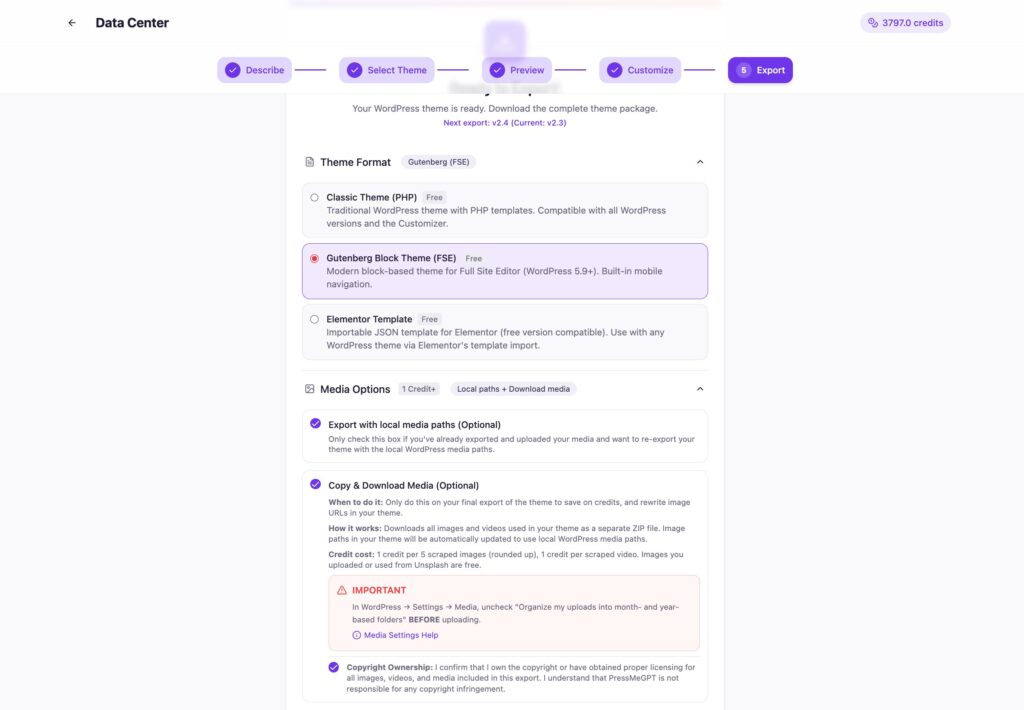
This can save hours of tracking down and replacing of image sources.
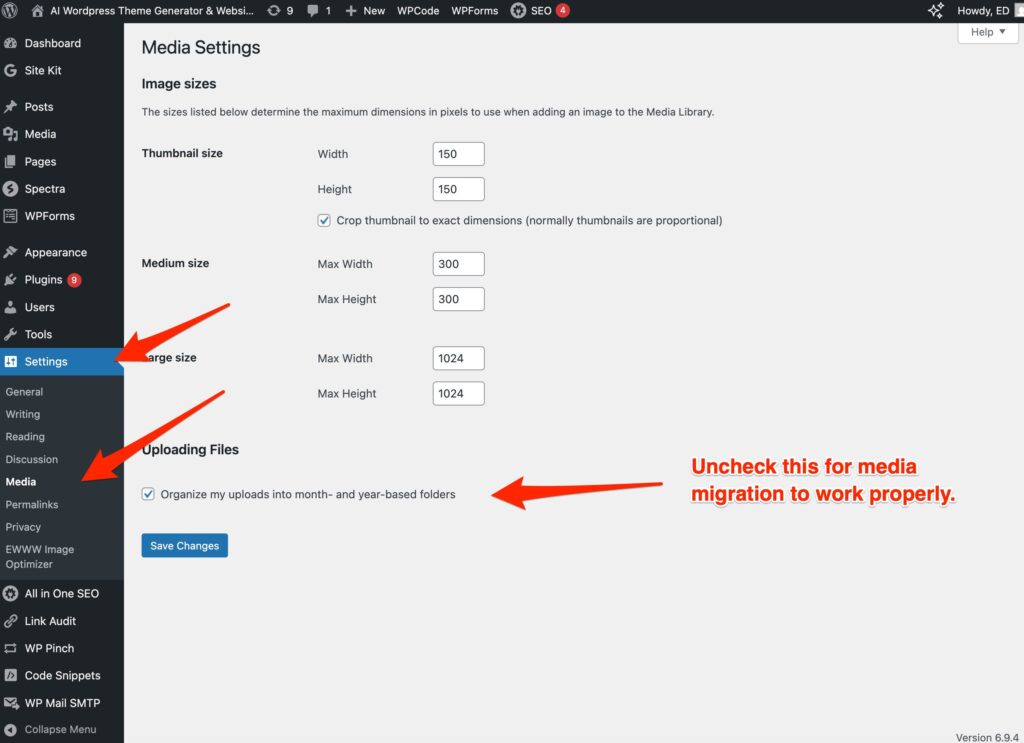
NOTE: You must uncheck “Organize my uploads into month- and year-based folders” in WordPress > Settings > Media BEFORE you upload images or install the theme in order for media migrations to function properly.